
Tags
Cisco has finally decoupled AP name broadcasting from Aironet IE in IOS-XE 17.18.2 and expanded the maximum name length to 32 characters. Watch this video to see it in action.
Most vendors allow up to 32 characters for AP names (refer this post from Nick Turner as it got different vendor AP name length info), whereas Cisco historically enforced a 15-character limit because it used the Cisco Compatible Extensions (CCX-1) element to advertise the AP name. As a result, many organizations that deployed Cisco equipment adopted an AP naming scheme restricted to 15 characters or fewer.
Why is this important? When troubleshooting Wi-Fi—whether using a scanning tool or performing an RF site survey—the tool can decode that information element and display the AP name. If the AP name exceeds 15 characters, it will be truncated in the beacon frame, causing your measurement tool to show an incomplete name. This makes it harder to identify the AP accurately.
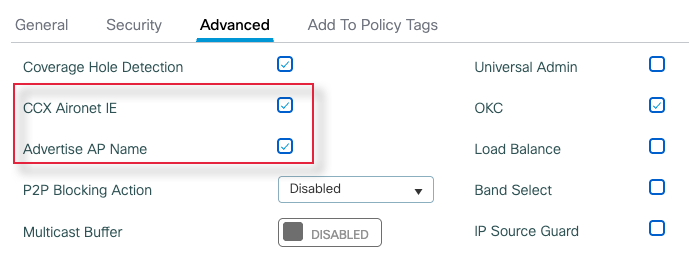
On a Cisco 9800 controller, you can enable this feature at the WLAN level by navigating to Configuration > Tags & Profiles > WLAN > Advanced Settings. As shown, it is tied to the Aironet IE option, meaning you cannot enable AP name broadcasting independently without also enabling Aironet IE.
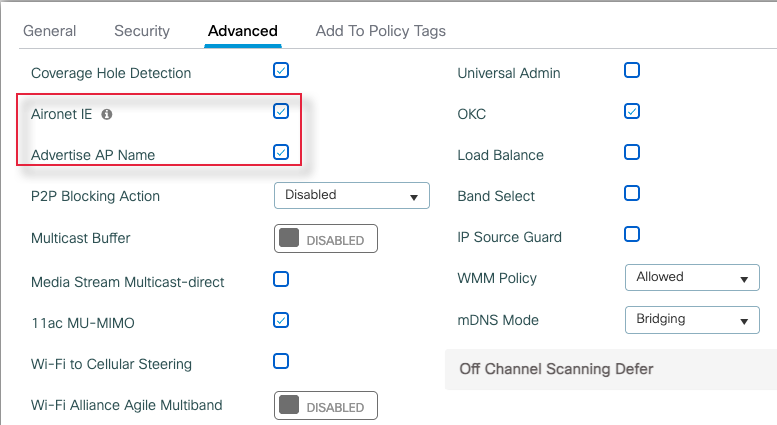
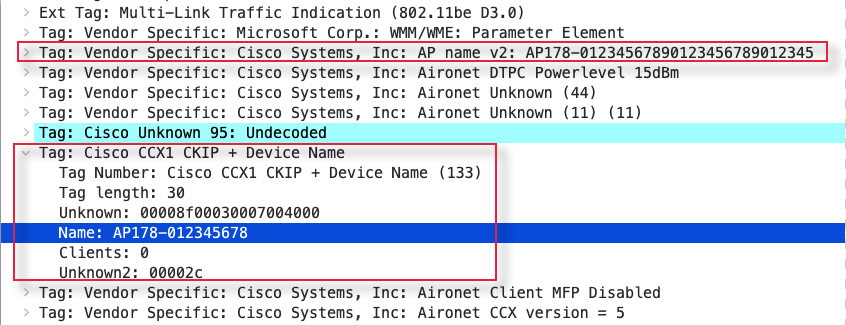
‘AP Name Length’ will be limited to max 15 characters within CCX1 element (Tag 133).
Starting IOS-XE 17.18.2 release, Cisco introduced the ability to advertise the AP Name independently of the Aironet IE. For testing, I used an AP name of AP178-01234567890123456789012345, which is 32 characters—the maximum length allowed for an AP name.
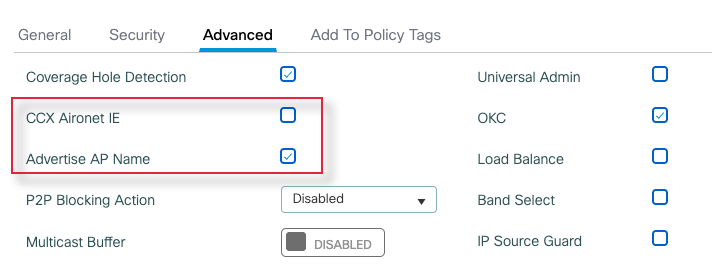
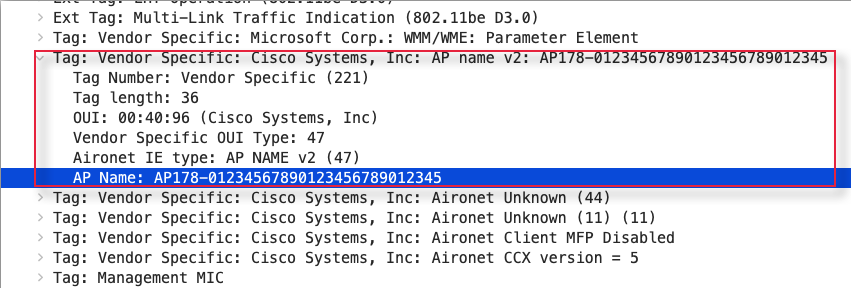
With this setting, the AP advertises its name in a vendor-specific element (similar to other vendors) and supports an extended AP name length of up to 32 characters. You can see the full AP name (32 characters) in that element. Here is the PCAP of beacon frame for your reference.
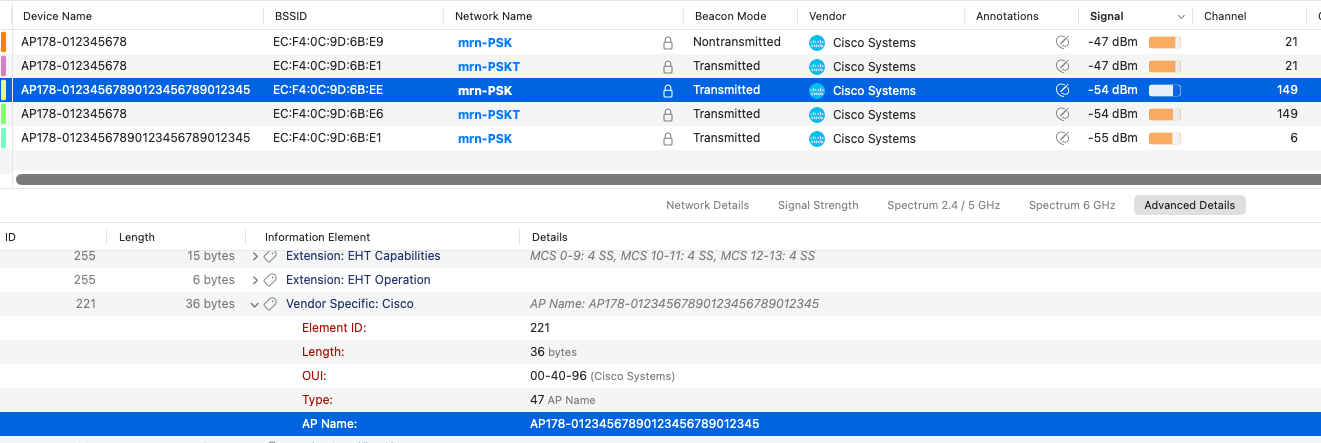
Here is Wi-Fi Explorer Pro 3 shows the 32-character full name.
If I enable “CCX1 – Aironet IE,” you’ll notice that the AP name is truncated to 15 characters within that element. You can see AP name truncated to “AP178-012345678” in the beacon frame (refer PCAP).
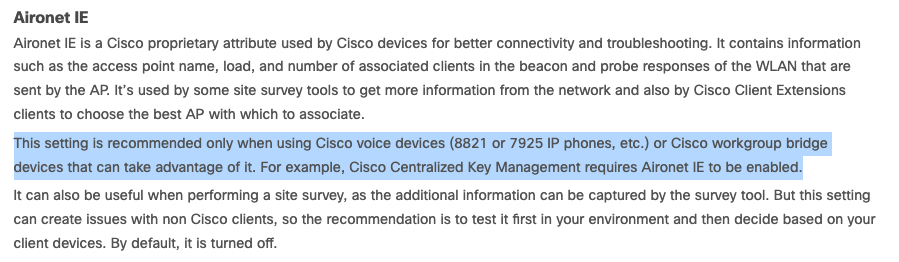
According to the 9800 Best Practices guide, it is recommended to enable Aironet IE when using Cisco client devices such as VoIP phones, Workgroup Bridges (WGB), or when using CCKM for fast roaming. By default, this feature is turned off due to compatibility issues with some non-Cisco clients.
In conclusion, you should start using this new method of advertising the AP name instead of relying on Aironet IE. Although it allows AP names up to 32 characters, it’s still best to keep names shorter to minimize additional overhead.
Also note that if you manage Cisco APs using the Meraki cloud, you cannot enable this feature directly from the dashboard. You’ll need to contact Meraki TAC for assistance. I’m not sure if the 32-character name expansion is supported in Meraki yet—if you know, feel free to leave a comment on this post so everyone can benefit.
 mrn-cciew
I have noticed that it does not work on WiFi 5 APS that are supported on 17.18.2. So don’t think you are saving air time if you have wifi 5 APS. If you have both turned on the beacon is even bigger as the AP name is advertised twice.
Good to know this limitation Charles, Hopefully Cisco allow it in Wi-Fi5 APs and Meraki to allow your wish to enable it without talking to Meraki TAC