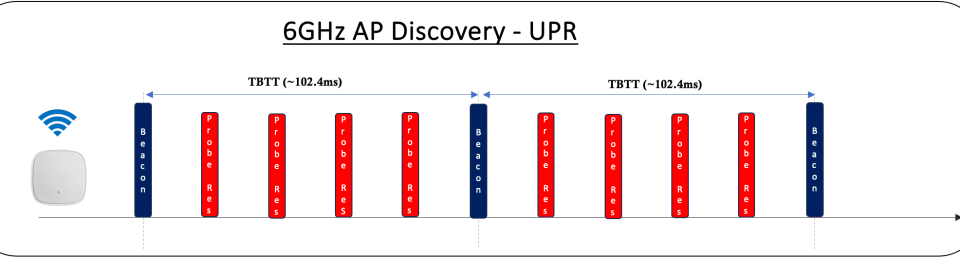
In this post, we’ll explore UPR- Unsolicited Probe Response, another “In-band Discovery” method utilized in the 6GHz operation. It’s similar to the FILS Discovery method. Instead of sending short FILS discovery frames, AP sends a Probe Response frame roughly every 20ms unsolicitedly (i.e. without waiting for clients’ Probe Request frames). Because it is a Probe Response frame, it includes nearly all the information fields found in the Beacon frame. This means that the management overhead will be much higher with this method compared to FILS. It’s almost as if Beacons are sent every 20ms
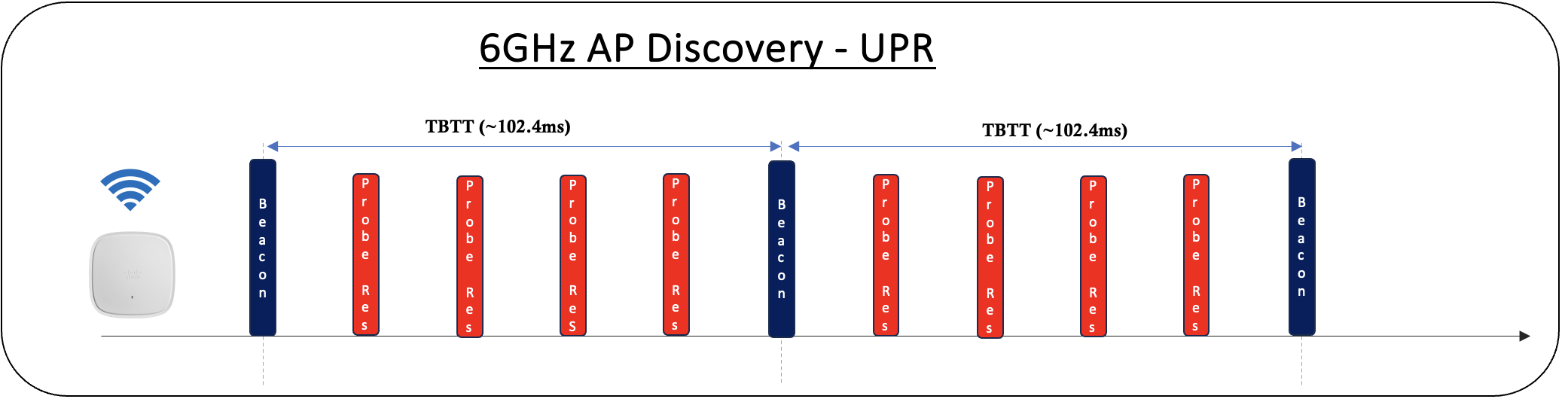
In legacy bands (2.4GHz/5.0GHz), a “Probe Response” frame is sent in response to a “Probe Request” frame. However, in 6GHz-only operation, an AP can send unsolicited Probe Response frames every 20TU (approximately 20ms) to allow STAs to discover the AP passively, rather than waiting for Beacon frames, which arrive at 100ms intervals.
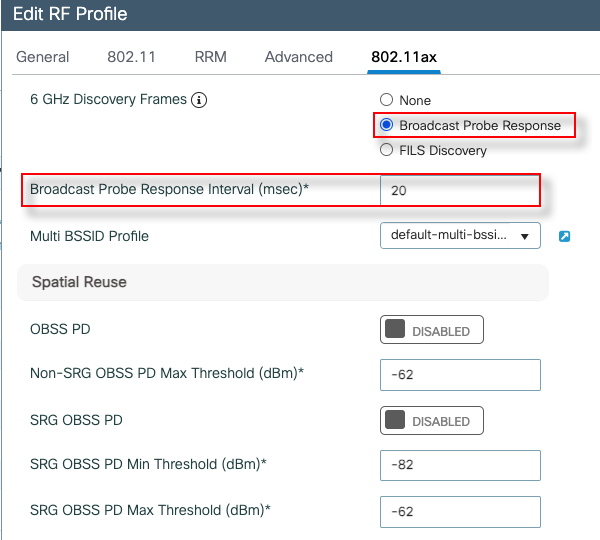
This time 6GHz RF profile is configured for “Broadcast Probe Response” which is sent every 20ms (default setting) once you enable it. That interval can be a value between 5-25ms in Cisco 9800 WLC.
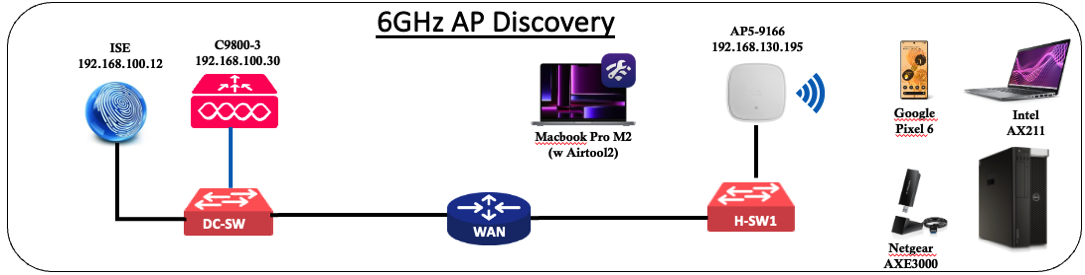
Here is a PCAP taken once UPR is enabled in our test setup shown above (Cisco 9166 with 9800 WLC 17.12.1 firmware).
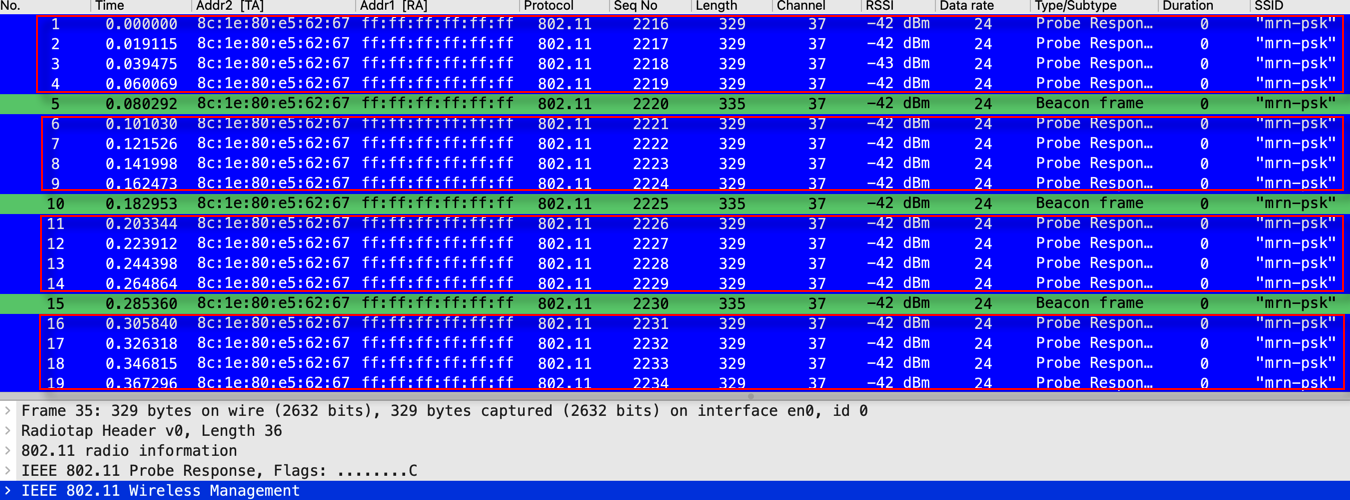
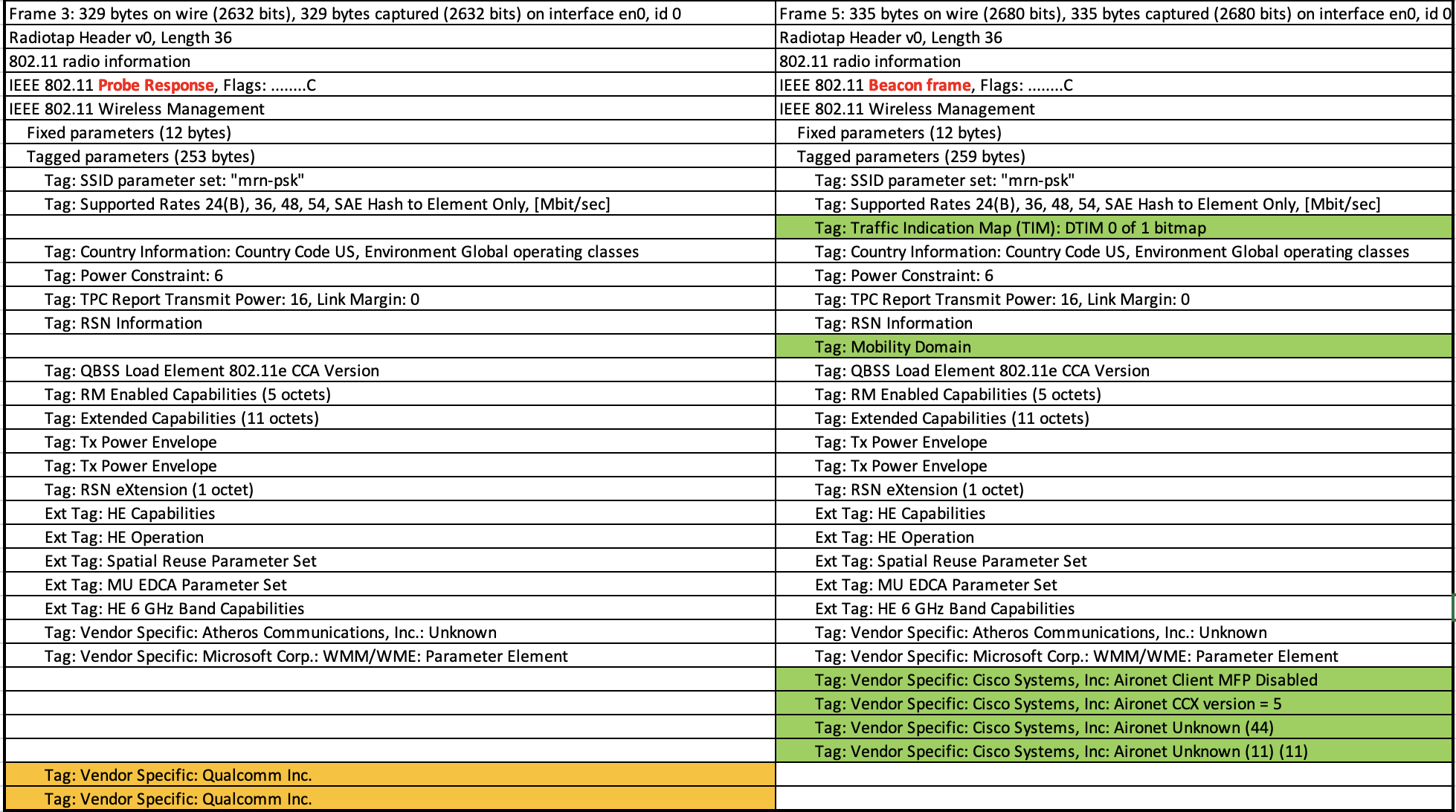
In the capture above, If you look at the size of the Probe Response frame(329B), it is almost the same size as the Beacon frame (335B). You can simply compare the contents of Probe Response and Beacon frame (Copy > All Visible items in Wireshark) to identify the exact differences.
Due to the increased management overhead, this method isn’t widely supported by many vendors. As a result, even though it’s an available option, you won’t come across it in most vendor deployments.
In the next post, we will look at PSC – Preferred Scanning Channel, another In-band Discovery method available.
 mrn-cciew
Thanks for the information.
There is a lot of information about time between 2 beacon signals, but very few about the spectrum used.
I hear that the fist 20MHz of each channel is dedicated for the beacon signal. For example, if there is a channel with a bandwidth of 160MHz, only the first 20MHz of this channel is used by beacon signal => it is true or not? It is more complicated?
Typically it is 2nd 20MHz is the primary channel (Known as PSC – Preferred Scanning Channel) of a 6GHz AP with 80MHz channel bonding.
HTH
Rasika
Hi,
Thanks for sharing us valuable information.
I started understanding WiFi7 , AP discovery methods,6Ghz band etc.,
I have a laptop(installed Windows11 OS) comes with inbuilt wifi adapter AX211 (WiFi6E capable) and a WiFi tri band router.
But my laptop is not detecting(listing) the 6Ghz radio when i performed the scan through third party app or windows wifi settings app.
The 6Ghz Radio and access point are enabled in the router. Also it is verified through the out-of-band discovery method (received RNR report through legacy bands).
But the thing which i don’t understand is why can’t my laptop lists the 6ghz network , as i can see the RNR report in beacons coming over legacy bands (2.4Ghz and 5Ghz).
Is my laptop(AX211) doesn’t support in-band discovery?
Is it something like interference stops the client to discover the 6Ghz network?
Or any configuration settings i have to do at gateway side?
Did you try latest Windows 11 OS (25H2) ? No specific settings needed at client end to get 6GHz with right OS