
If you’re familiar with Wi-Fi troubleshooting, then you’ve probably gone through the hassle of checking a Windows client’s signal strength (RSSI). Traditionally, Windows provides this as a percentage value, and you’d need to use a conversion table to estimate the RSSI in dBm. Here is a good reference blog post from Adrian on that value conversion.
That’s no longer the case. During my testing with Wi-Fi 7 and the Intel BE200, I noticed that the “netsh wlan show interface” command now provides the RSSI value in dBm directly.
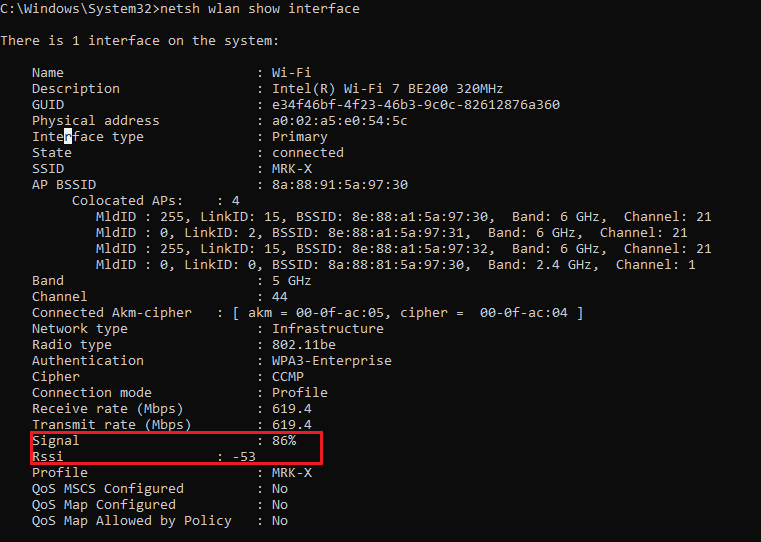
I’m not sure which exact version of Windows added this feature, but I’m using the Insider Preview of Windows 11 (OS Build 27913.1000) for my testing, and I can see it there.

If your client supports Wi-Fi 7 and your SSID is configured for MLO (Multi-Link Operation), the client may establish its Wi-Fi connection across multiple links. In that scenario, the output will look slightly different, and the RSSI value will appear under each link in the ‘MLD AP BSSID’ section, as shown in the image below.
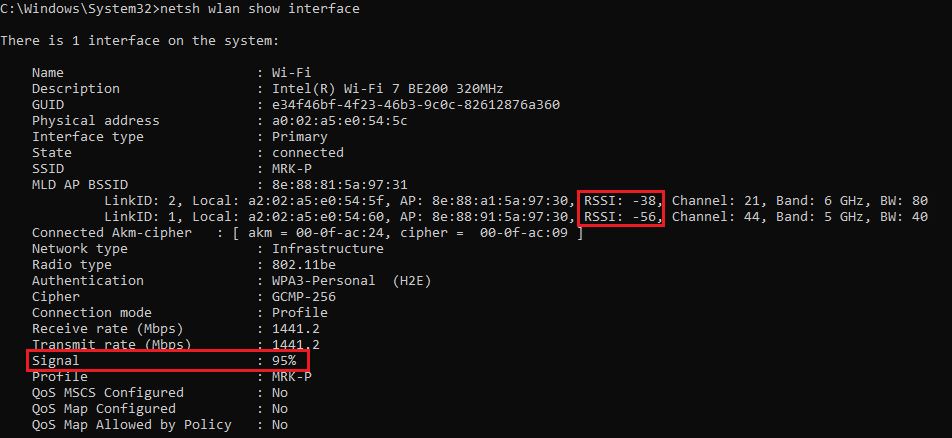
I also noticed that it now displays the connected AKM and Cipher suite being used for the current Wi-Fi connection.
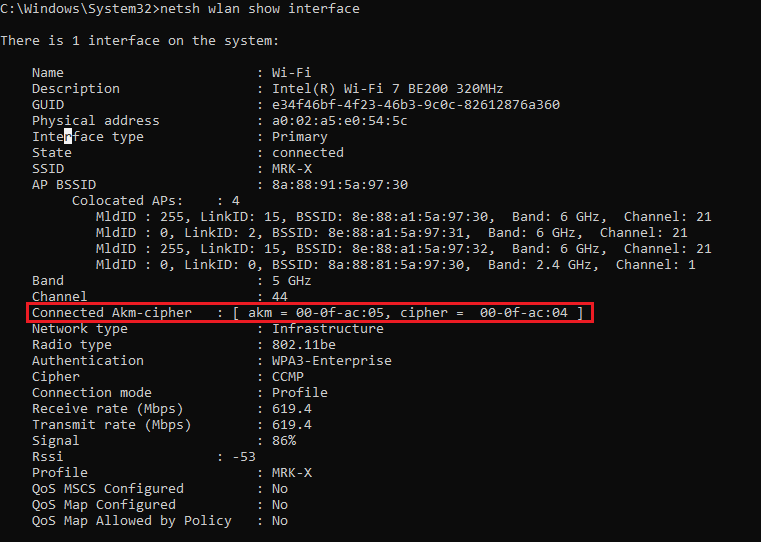
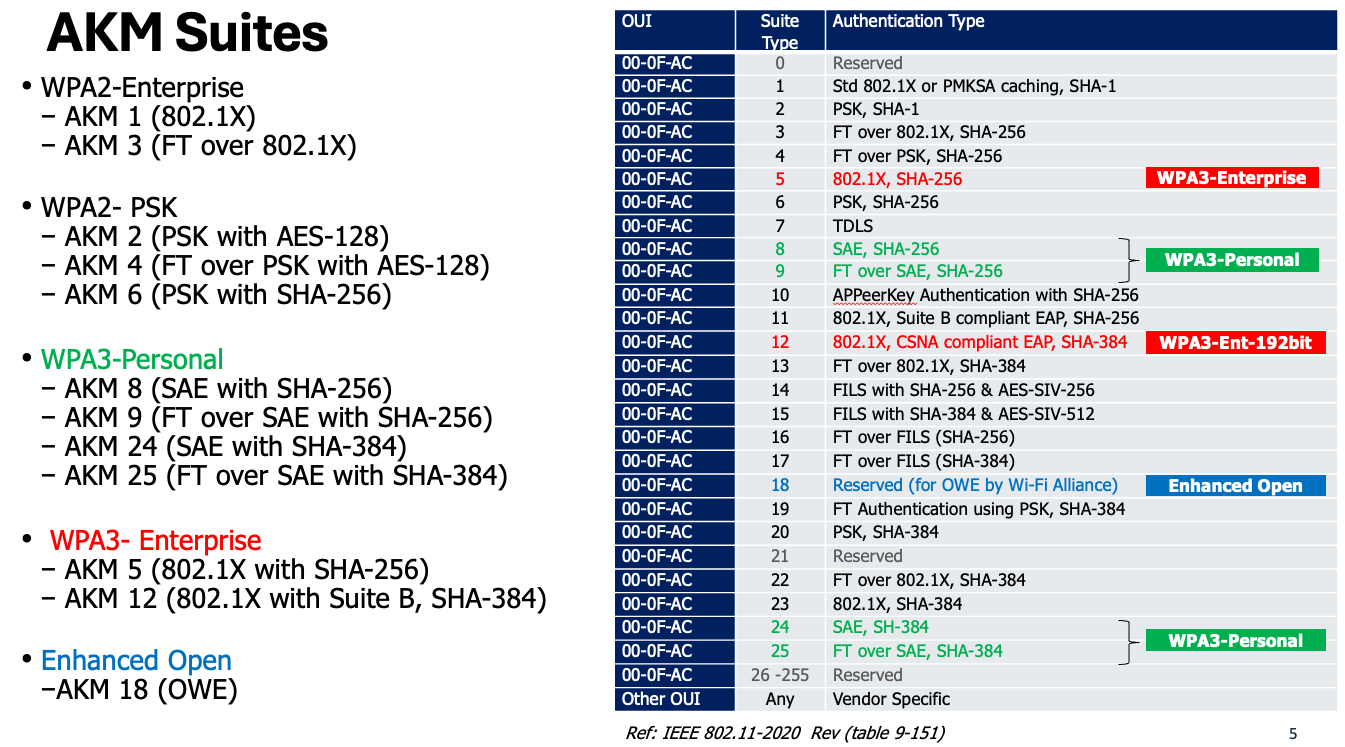
This is extremely useful information for identifying which security method is being used, as there are many different AKM values in Wi-Fi. The image below shows the AKM values defined in IEEE 802.11-2020
The image below shows the cipher suites being used in Wi-Fi.
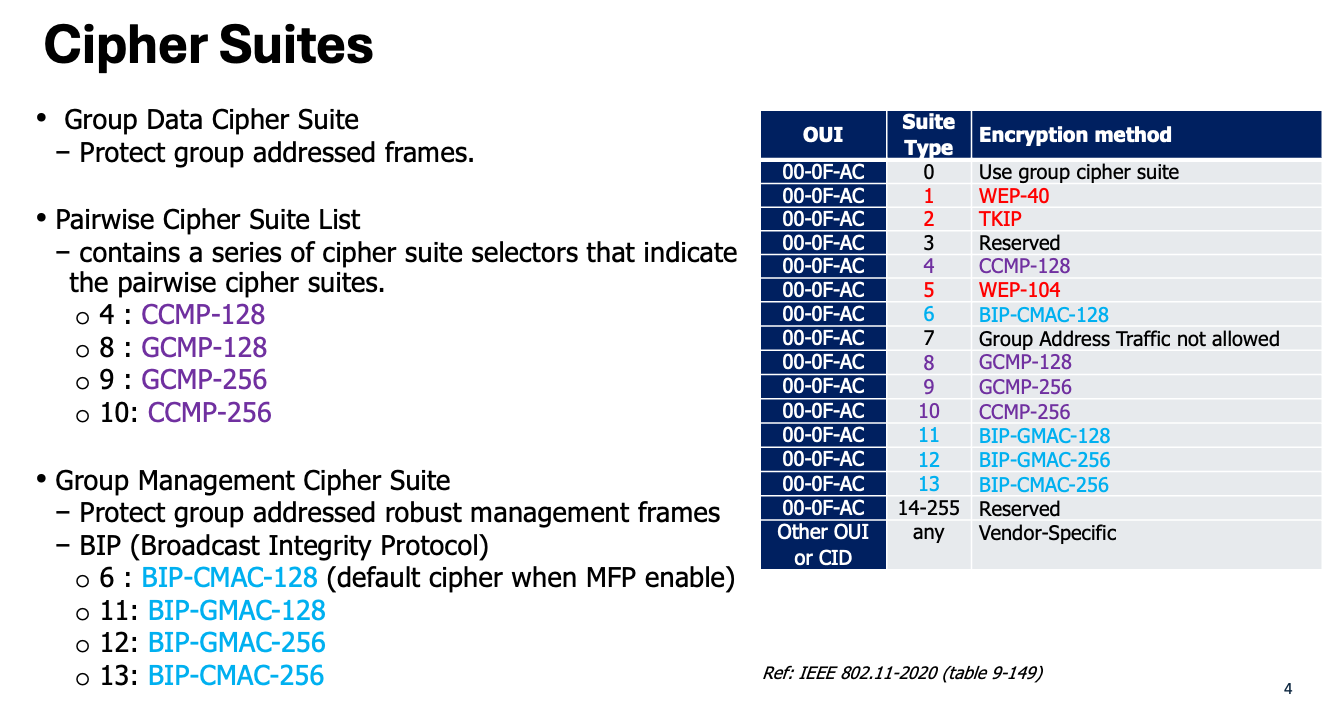
Now, if you look at the AKM and Cipher suites my Windows client used when connecting to ‘MRK-X‘ SSID, it used AKM value 00-0F-AC:5 (802.1X with SHA-256) with Cipher 00-0F-AC:4 (CCMP-128).
When it connected through the MLO ‘MRK-P‘ SSID, it used AKM value 00-0F-AC:24 (SAE with SHA-384) with Cipher 00-0F-AC:9 (GCMP-256).
Note: if you don’t see these additional details on your current Windows operating system, you will need to wait until you your OS is updated.
 mrn-cciew