
Let’s explore how Wi-Fi 7 client association differs from that of earlier Wi-Fi generations. When it comes to Wi-Fi troubleshooting, understanding these differences is crucial for accurate analysis and effective problem-solving.
Before Wi-Fi 7, client stations could only establish a connection using a single radio band—either 2.4 GHz, 5 GHz, or 6 GHz—even if both the access point (AP) and the client device supported multiple bands. In such scenarios, switching from one band to another (e.g., from 6 GHz to 5 GHz) required the client to go through the reassociation process, which is essentially a form of roaming. This transition could introduce noticeable delays in connectivity.
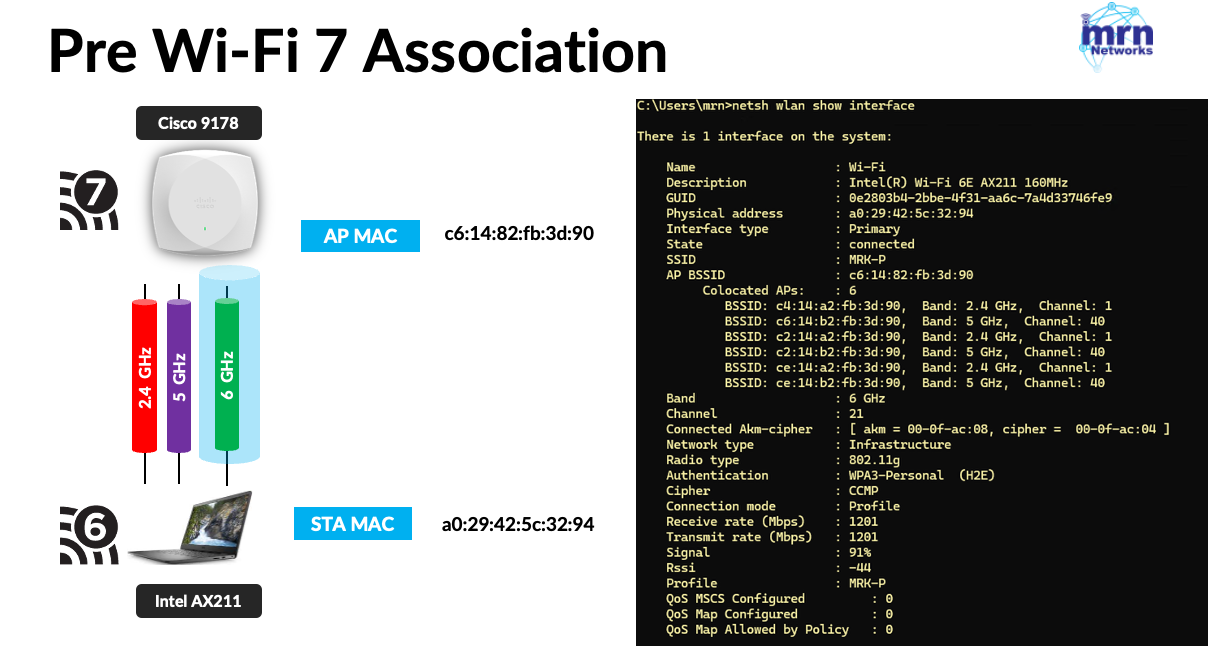
With Wi-Fi 7, a client station can establish a link with an access point across multiple radio bands—hence the term MLO (Multi-Link Operation). Even in this scenario, the client initiates the link setup using one radio band, but the connection itself spans multiple links. Initially, traffic may flow through a single link, but if that link becomes congested, the client can seamlessly switch traffic to another link. This transition does not involve a traditional roaming process, making it much faster and more efficient.
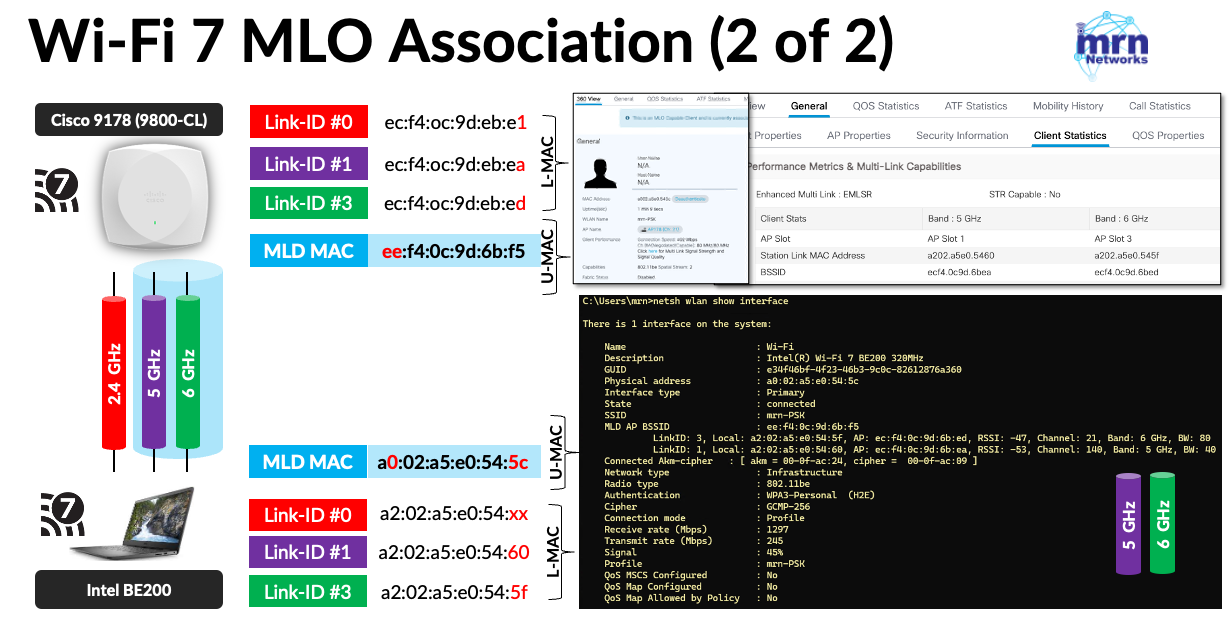
To facilitate the MLO (Multi-Link Operation) process, IEEE 802.11be introduced U-MAC (Upper MAC) and L-MAC (Lower MAC)—where L-MAC refers to the link-specific MAC address. The U-MAC is used for the key derivation process, allowing the same unicast encryption keys to be used across multiple links. This architecture enables secure and seamless multi-link communication between the client and the access point.
Here is a short video explaining that process.
We’ll dive into frame-level details in a future blog post. One important thing to remember is that you need to use the link-specific MAC address to filter client traffic—not the MLD MAC address (U-MAC), which typically appears as the client MAC address in your monitoring tool.
 mrn-cciew