With the MLO (Multi-Link Operation) feature of IEEE 802.11be—the foundation of Wi-Fi 7—the client association process becomes more complex due to the establishment of a multi-link setup. To support this, the architecture introduces an Upper MAC (U-MAC) and Link-Specific Lower MACs (L-MAC). As a result, when analyzing PCAPs, especially when filtering by client MAC address, things can get a bit tricky.
In a 9800 WLC, you have the option to capture PCAPs filtered by client MAC address (via the GUI: Troubleshooting > Packet Capture). This is not the same as capturing packets over the air. However, if you’re using a local mode AP deployment, most of the traffic is tunneled back to the WLC using CAPWAP—except for certain frames like beacons, probe requests and responses, ACKs, and Block ACKs (AP level frames in Split-MAC architecture).
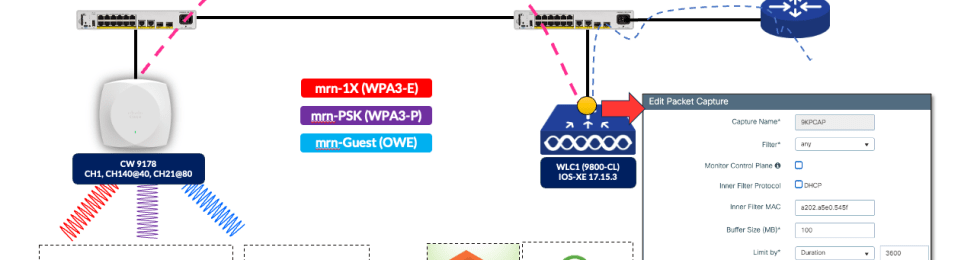
I used the following topology for my testing, where a Cisco 9178 AP was managed by a 9800 WLC running IOS-XE 17.15.3 (also tested with 17.18.1 version as well). Here is the link to downlaod all PCAP taken during this testing.

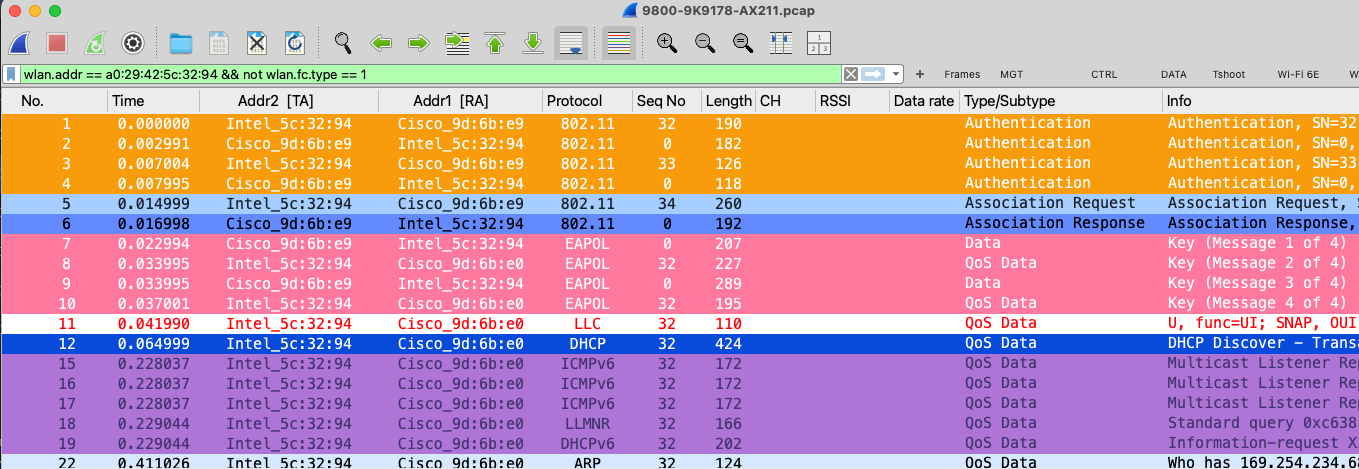
Prior to Wi-Fi 7, clients used link-level MAC addresses for each band (2.4GHz, 5GHz, and 6GHz), and there were no complications since the concept of an Upper MAC (U-MAC) didn’t exist. When Wi-Fi 6E (Intel AX211) client connects, both the over-the-air capture (MRK-9K9178-AX211.pcap) and the 9800 WLC capture (9800-9K9178-AX211.pcap) provide comparable information. Here is the Meraki PCAP filtered for client MAC address (wlan.addr == a0:29:42:5c:32:94 && not wlan.fc.type == 1)

Here is the 9800 PCAP showing the exact frame flow. Notably, this capture provides a decrypted view, which is a significant advantage—especially with WPA3, where critical management frames, in addition to data frames, are protected.
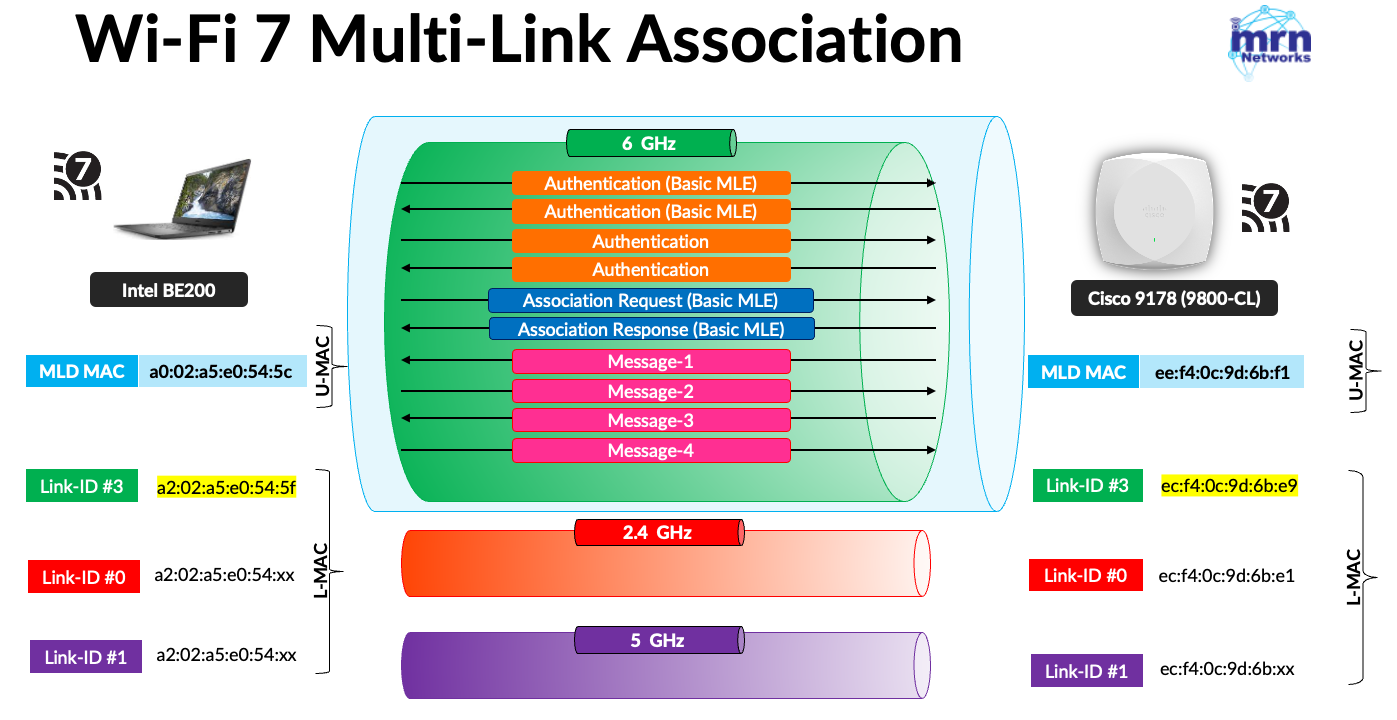
However, with a Wi-Fi 7 client, you need to filter based on the link-specific MAC address used during the association. In this test, the Intel BE200 established an MLO connection using a single link on the 6GHz band and exchanged the initial frames using its link-specific MAC address: a2:02:a5:e0:54:5f
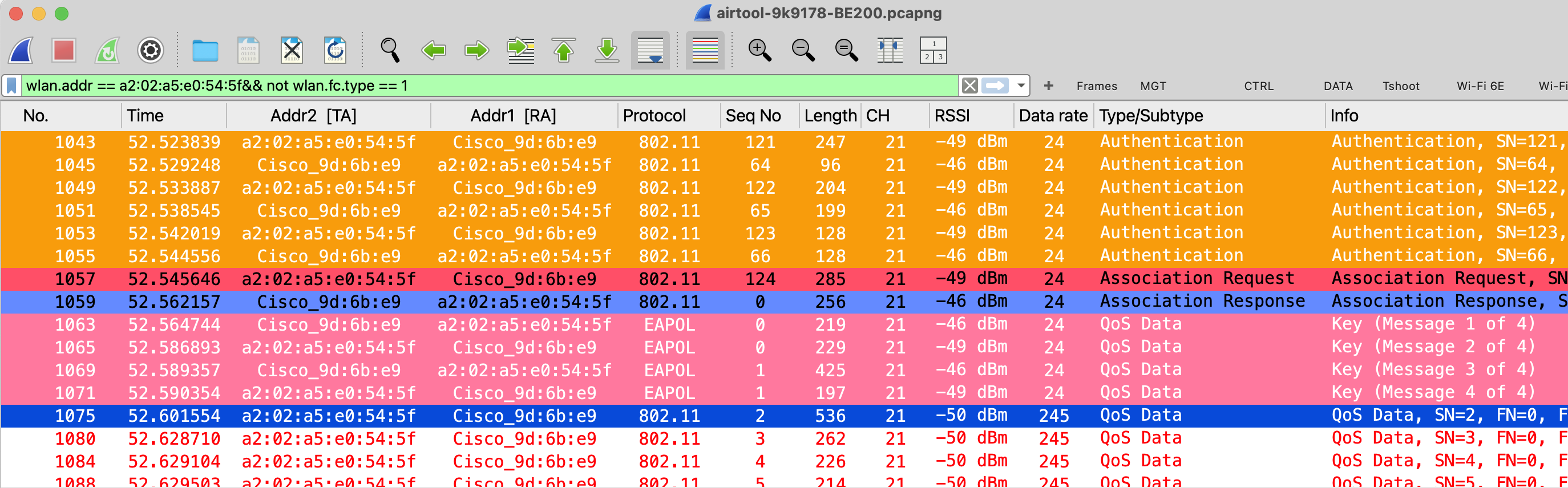
Here is the over-the-air capture (airtool-9k9178-BE200.pcapng), and you can filter by the MAC address using: wlan.addr == a2:02:a5:e0:54:5f && !wlan.fc.type == 1. Initially, the client attempted to use the 384-bit ECP Group 20, which was rejected by the AP. As a result, you see six authentication frames instead of the usual four.
On 9800 WLC, you can see client U-MAC appear as client MAC address in 9800 GUI Monitor > Clients page.

Similar to the earlier scenario, you can add the MAC address to the packet capture filter and start the capture process (9800-9K9178-BE200.pcap). You might assume that the WLC/AP already knows the client’s link-specific MAC addresses, and that the PCAP would include all frames involved in the MLO connection. However as you can see below there are few issues
- Out of Authentication and Association frames, only those sent from AP to client were captured.
- The receiver address of those intial frames is the client MLD MAC address rather than link-specific address (a2:02:a5:e0:54:5f) which is not correct.

I captured traffic using the link-specific MAC address a2:02:a5:e0:54:5f (9800-9K9178-BE200-LMAC.pcap), and it revealed the previously missing frames. However, those frames did not appear to decode the information elements correctly.
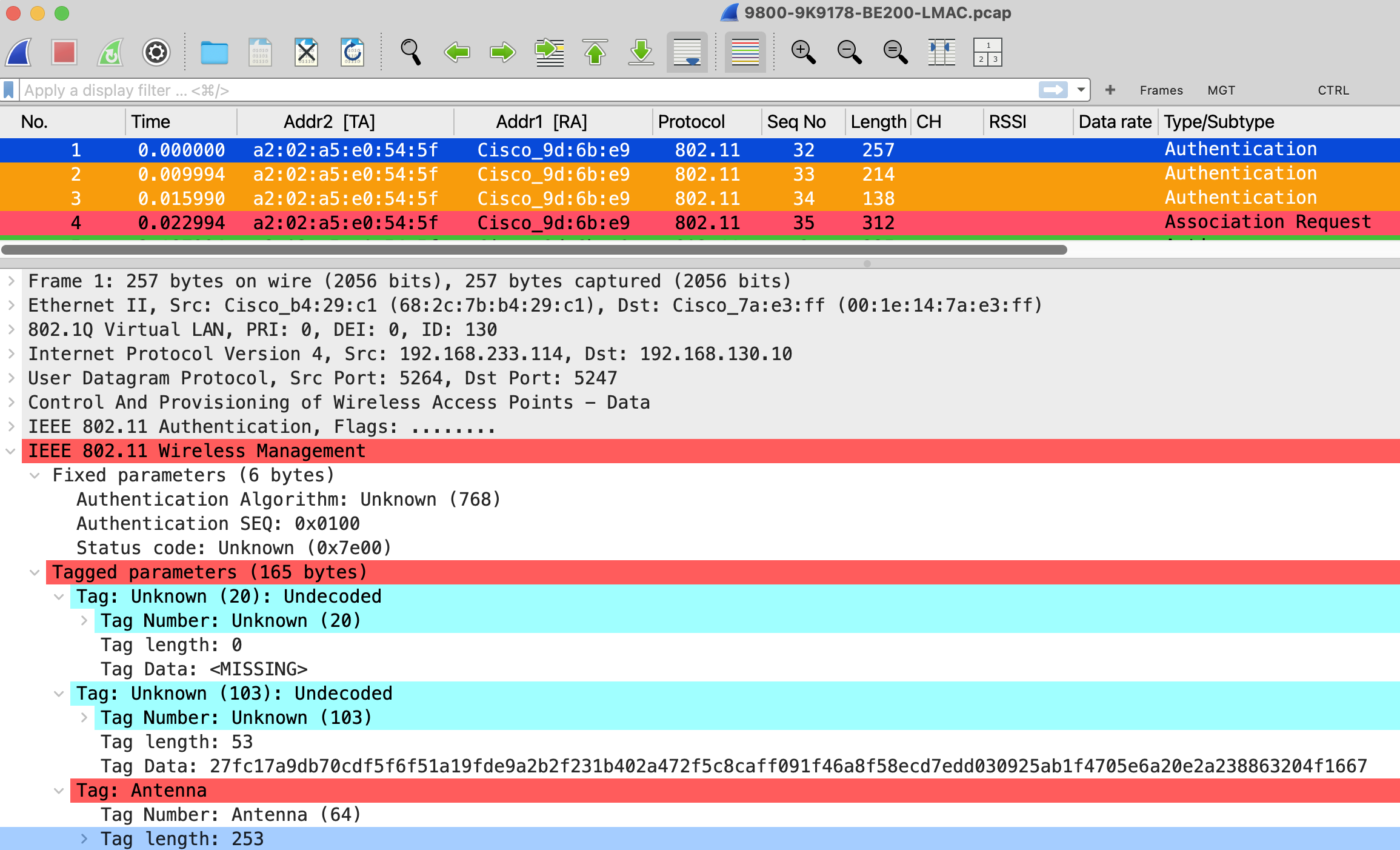
In conclusion, this may be an area Cisco could consider refining in future releases of the 9800 firmware. In the meantime, it’s helpful to keep this behavior in mind when troubleshooting Wi-Fi 7 clients using the 9800 PCAP feature. If you’re interested, here’s a full video explaining the concept and my testing process.
 mrn-cciew
I think I disagree with the MAC being wrong. What you are capturing is CAPWAP traffic. The WLC sends the traffic with the upper client MAC. It’s up to the AP to use the right link layer MAC for the client depending on which link it sends the traffic to the client. so the capture is not wrong, field will just be re-written by the AP further down in the network.
For the missing frames, I will try to take a look at it.
Hi Nicholas,
Thank you for reading the blog post. What I would expect is to see the original L-MAC addresses in those frames (association/authentication) to avoid confusion, even when 9800 end users select the client U-MAC for the PCAP. Does the AP have to rewrite the address field, or is the WLC doing that for the AP and then encapsulating it into CAPWAP?
Please let me know when you have a firmware update that allows us to see bi-directional traffic for those initial management frames. I will test it.
Regards
Rasika