
In this post, we’ll explore how easy it is to capture Wi-Fi frames on Linux OS. Linux is one of the most convenient operating systems for putting a Wi-Fi adapter into monitor mode. Prefer watching and learning? Check out the video below!
With just a few commands listed below, you can put an external Wi-Fi USB adapter into monitor mode and set the frequency you want to capture
iw dev
sudo iw phy [phy0] interface add [mrn0] type monitor
sudo iw dev [wlan0] del
sudo ip linke set [mrn0] up
sudo iw dev [mrn0] set freq <control freq> [20|40|80|80+80|160] [<center1_freq> [<center2_freq>]]
I plugged in three USB adapters (Comfast CF-951AX) to my Kali Linux desktop and checked which physical interface numbers they were associated with. As you can see, they were detected as ‘wlan0 → phy#4’, ‘wlan1 → phy#3’, and ‘wlan2 → phy#1’.
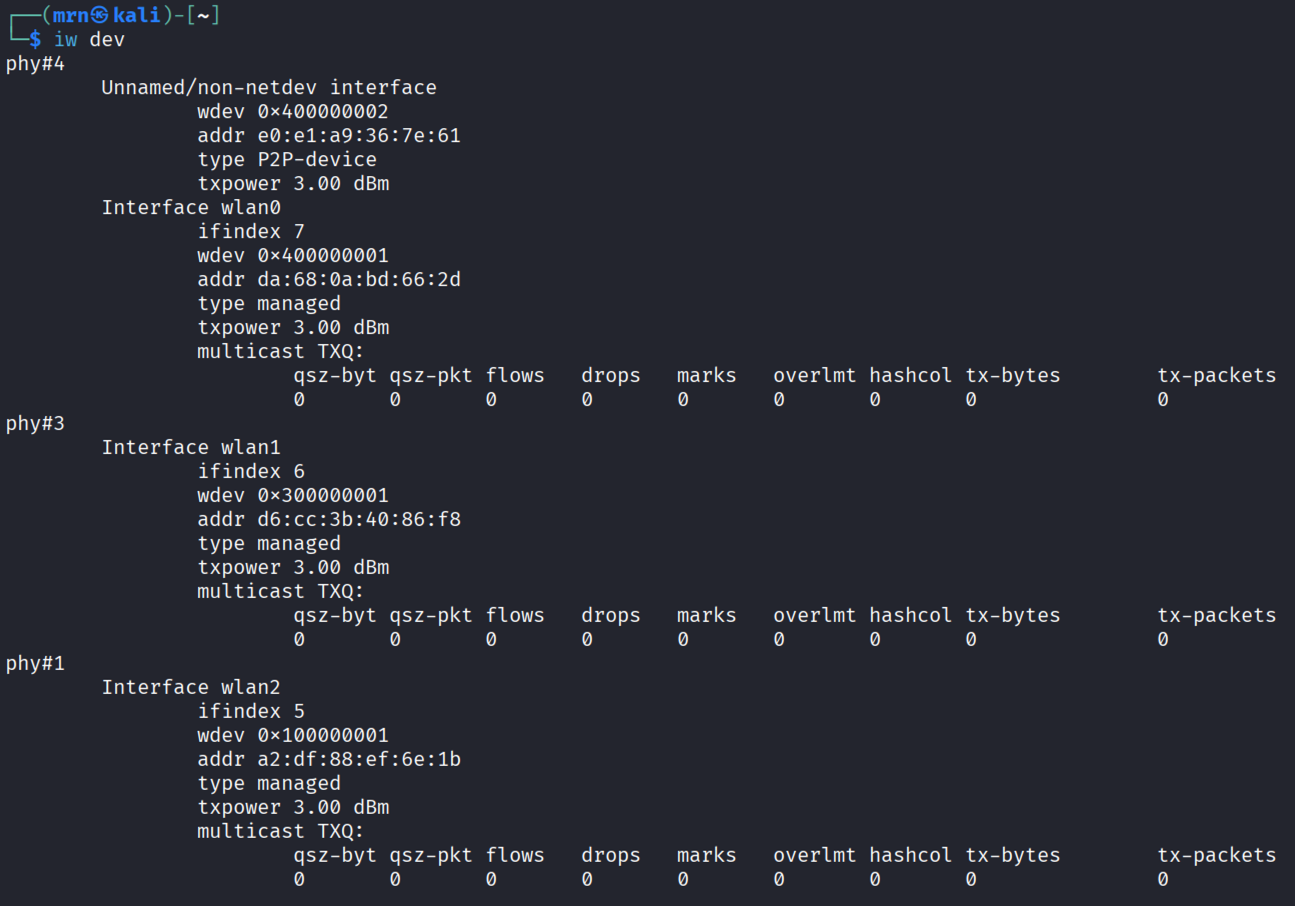
You can go ahead and create three monitor-mode interfaces using the commands below.
sudo iw phy phy1 interface add mrn0 type monitor
sudo iw phy phy3 interface add mrn1 type monitor
sudo iw phy phy4 interface add mrn2 type monitor
Once you’ve done that, you can delete the managed-mode interfaces (wlan0, wlan1, and wlan2) and verify the monitor-mode interfaces using the ‘iw dev‘ command.

You can use ‘sudo ip link set mrn0 up‘ or ‘sudo ifconfig mrn0 up‘ to bring those monitor interfaces up.
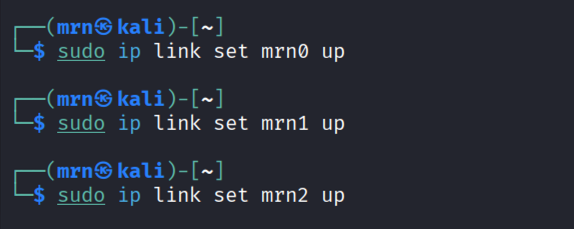
The final step is to set the frequencies for those adapters for sniffing. You can use given formula to workout centre frequencies for CH1, CH149 and CH21

You can use ‘sudo iw dev <interface> set freq <control feq| width | center freq>’ CLI command,

If you encounter errors like the ones above, check the regulatory domain using ‘iw reg get‘. In my case, it wasn’t set, which is why the 6 GHz channels weren’t scanned.

You can set your regulatory country code with ‘iw reg set‘ command . After that, you should be able to configure the 6 GHz channels for the ‘mrn2’ interface.
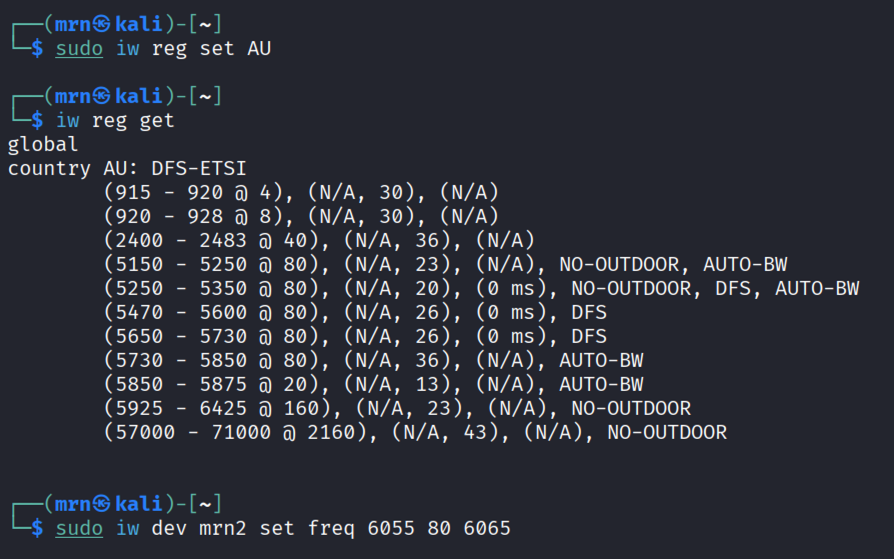
After that, simply run Wireshark (using the wireshark CLI command) and select the mrn0, mrn1, and mrn2 interfaces for packet capture..

I captured traffic when my Pixel phone was connecting to three different SSIDs, and if you’re interested, you can download the PCAP from here.
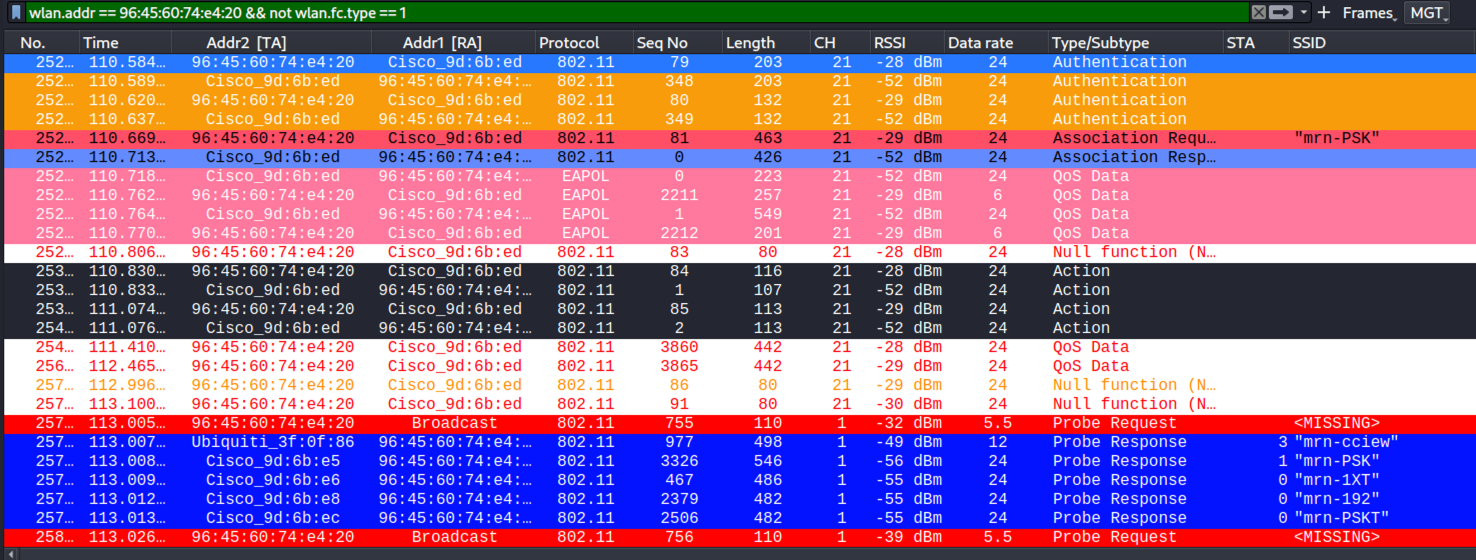
That is how you capture in Linux and as you see it is very powerful but easy to setup.
 mrn-cciew