Tags
If you’ve been experimenting with Wi-Fi 7 and MLO – Multi Link Operation, you probably know it works seamlessly with WPA3-Personal security. However, support for Wi-Fi 7 with WPA3-Enterprise security has been missing—until now. With Windows 11 version 25H2 and later, WPA3-Enterprise compatibility for Wi-Fi 7 is finally here.
When you run ‘netsh wlan show wirelesscapabilities‘ you should see whether your Windows OS supports Wi-Fi 7 with Enterprise security. For example, on my Windows 11 25H2 system with an Intel BE200 Wi-Fi adapter, it shows support for Wi-Fi 7 Enterprise.

Here is the PCAP file (MRK-BE200-WPA3E.pcap) captured during my Windows 11 client connecting to a Meraki Wi-Fi 802.1X SSID. You can see that the BE200 adapter establishes an MLO association over both 5 GHz and 6 GHz bands, uses AKM:3 (FT over 802.1X), and employs CCMP-128-AES as the encryption cipher. Although the Wi-Fi Alliance recommends that client devices prefer GCMP-AES-256, current support is limited to CCMP-AES-128.
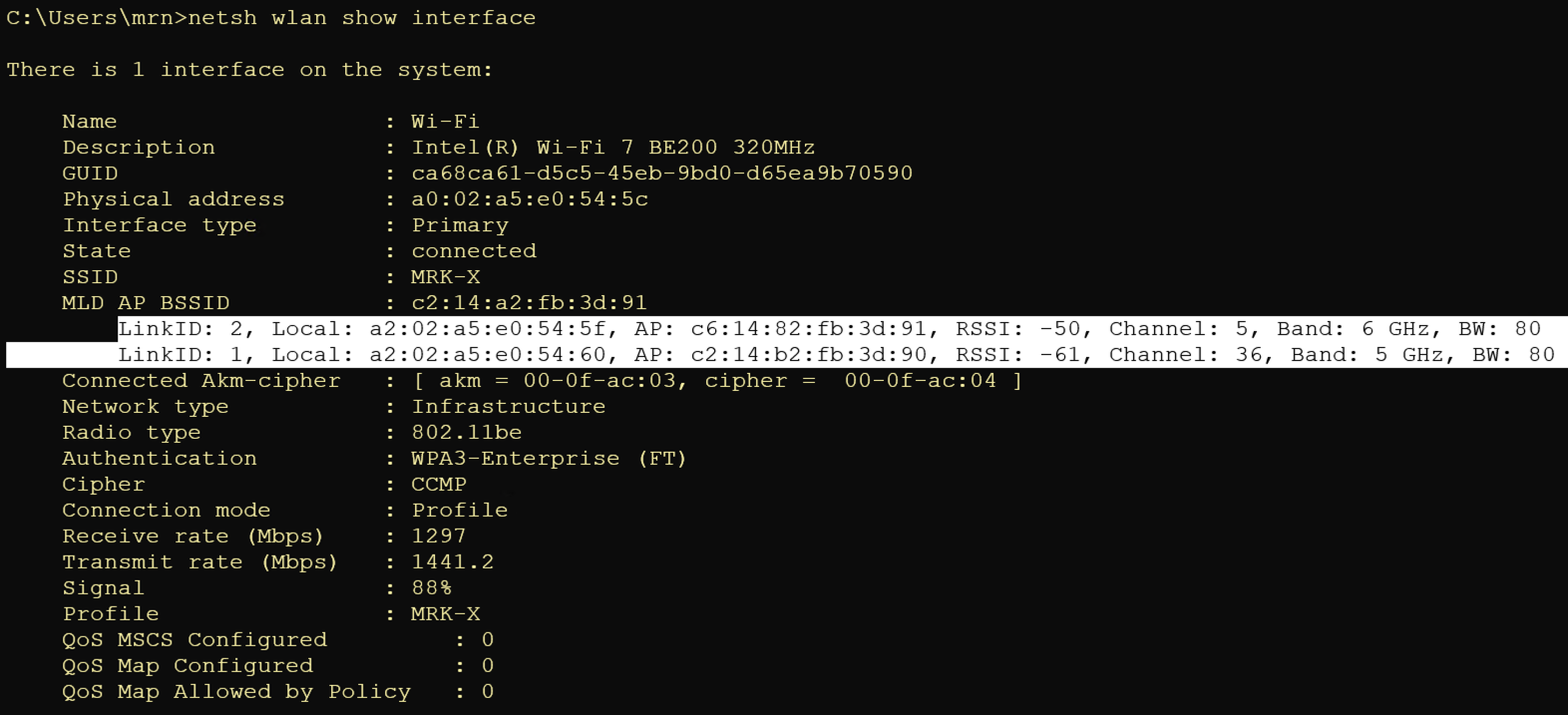
Shown here is the Association Request frame detail transmitted on the 6GHz band (Channel 5). It includes a Per-STA profile requesting that Link-ID 1 (5GHz link) be included in the association. Correspondingly, the Association Response frame confirms this setup with a status code of 0 (Successful).
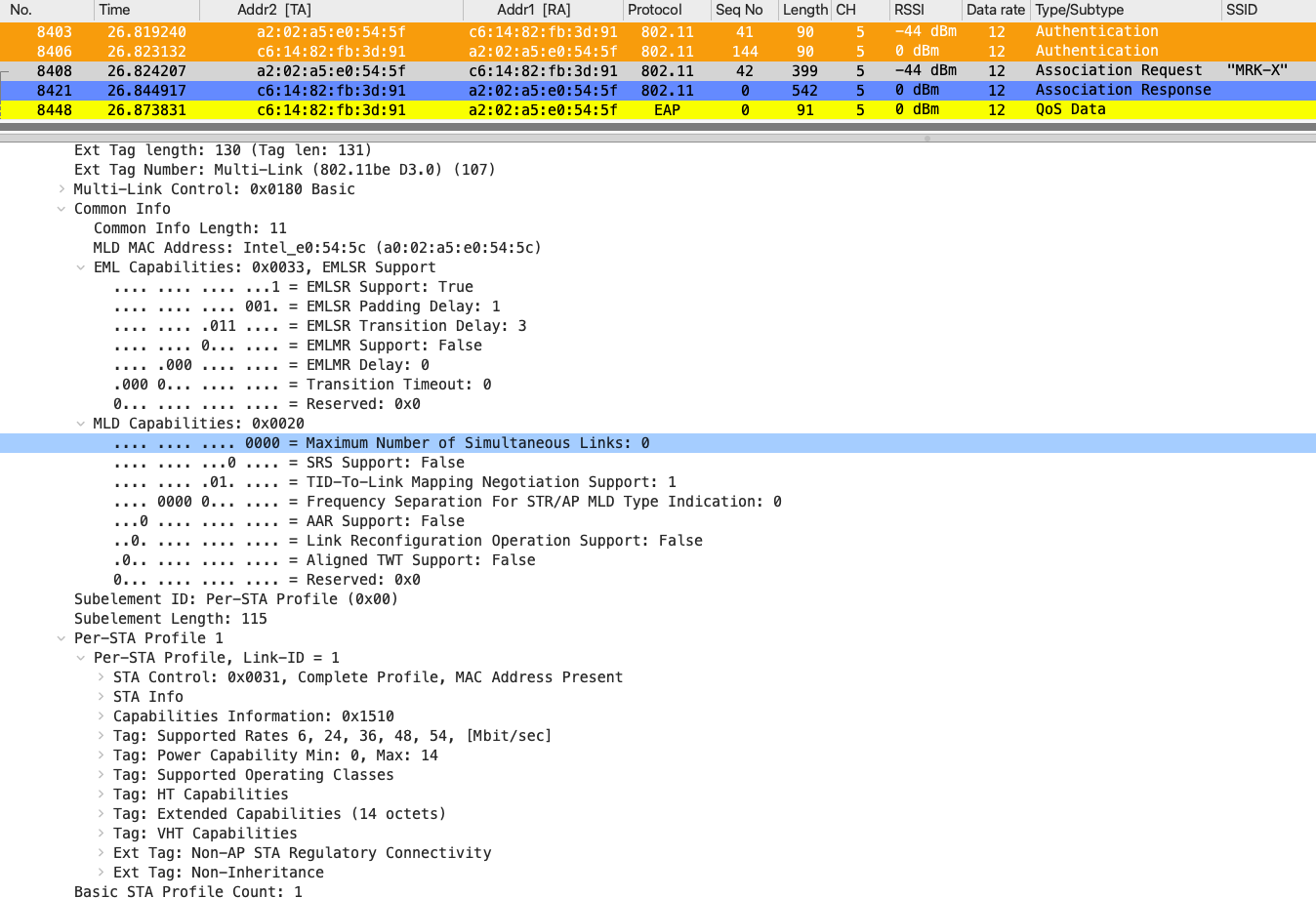
In Association Request frame, under Common Info, MLD capabilities you will see ‘Maximum number of Simultaneous Links‘ value of zero. This field Indicates the maximum number of STAs affiliated with the MLD that support simultaneous transmission or reception of frames on the respective links. A value of 0 means that even though an MLO connection is established over two links, simultaneous transmission or reception across both links is not possible. This means Intel BE client is a single-radio device, and you can see that it supports EMLSR under the EML Capabilities element.
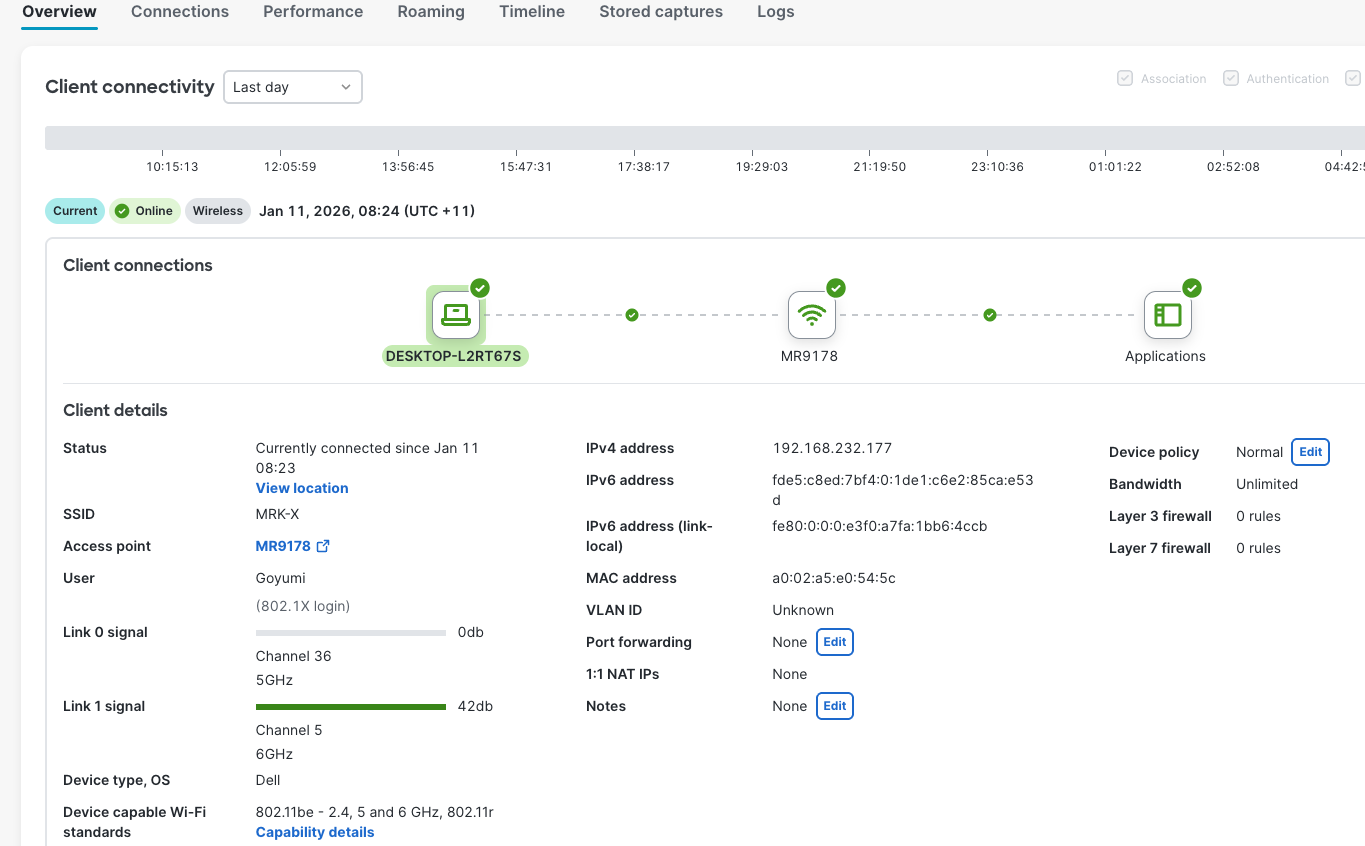
In Meraki dashboard as well, you can client associate across two links and only one link is active (CH5 on 6GHz)
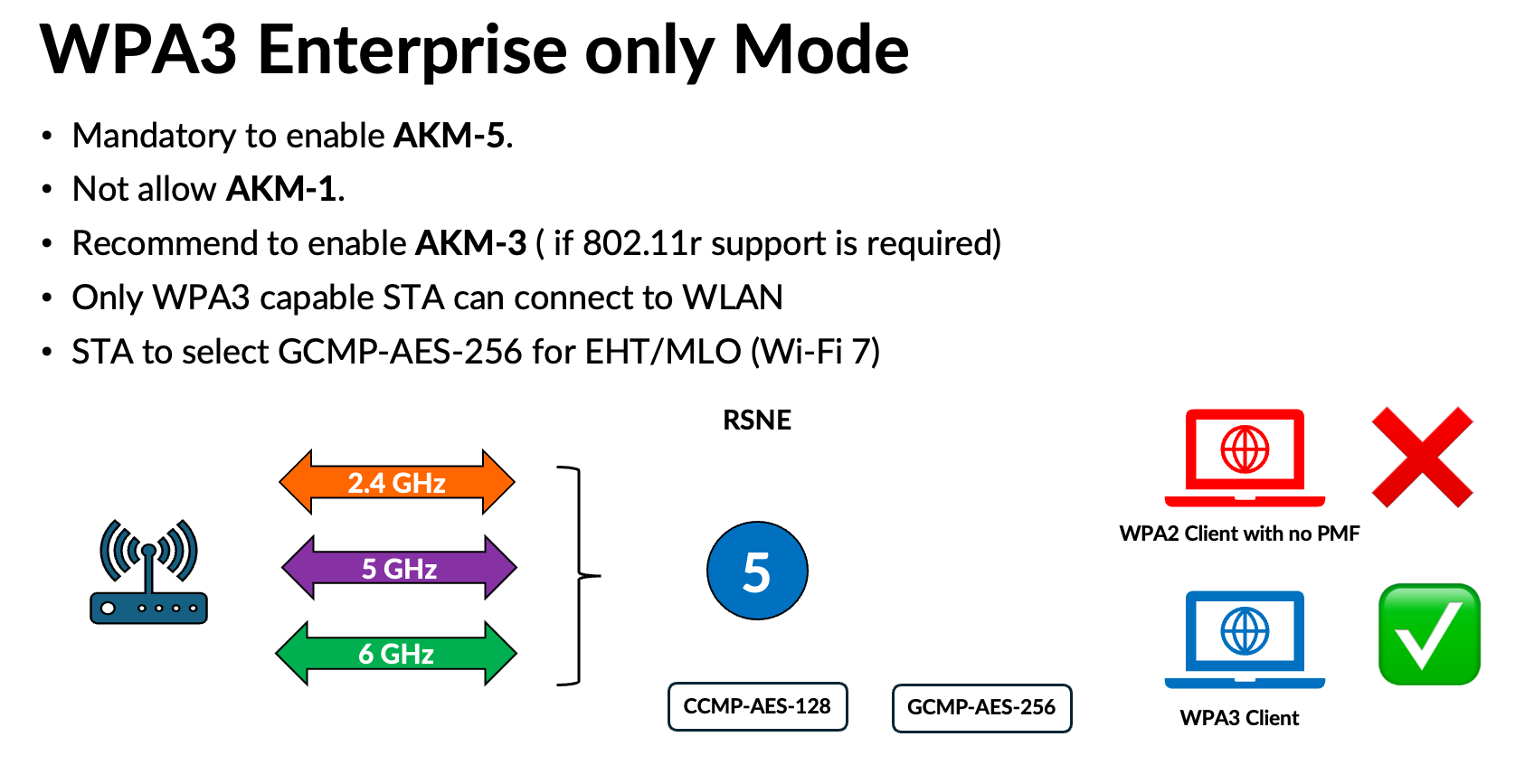
In the example above, I configured a Meraki SSID with WPA3-Enterprise only and enabled AKM-5 and AKM-3, with both CCMP-AES-128 and GCMP-AES-256 ciphers. Here is the typical configuration you should follow for setting up an SSID with WPA3-Enterprise only.
If you know of any other Wi-Fi 7 client that supports MLO with WPA3-Enterprise security, drop a comment and let others know.
 mrn-cciew