Tags
At this year’s WLPC, I had the opportunity to present on ‘WPA3 Deployment Challenges.’ Watch the recorded session below and you can download a copy of presentation from here.
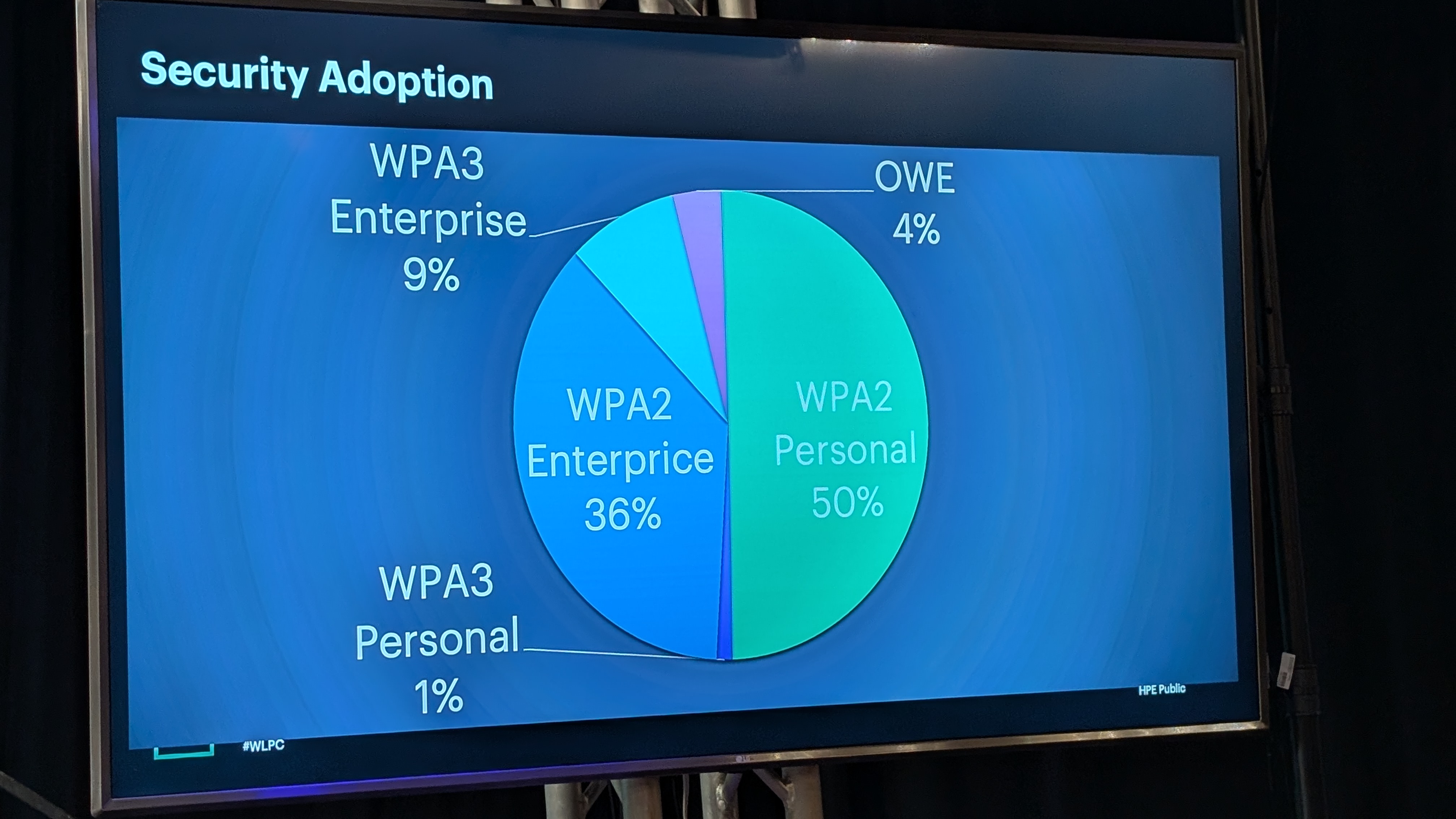
Based on the statistics shared by HPE–Juniper, only around 10% of Wi‑Fi authentications are using WPA3, and just 1% of those are WPA3‑Personal. I’m confident that WPA3 adoption rates are similar across other vendors as well. Thank you Wes for sharing these insights in your presentation.
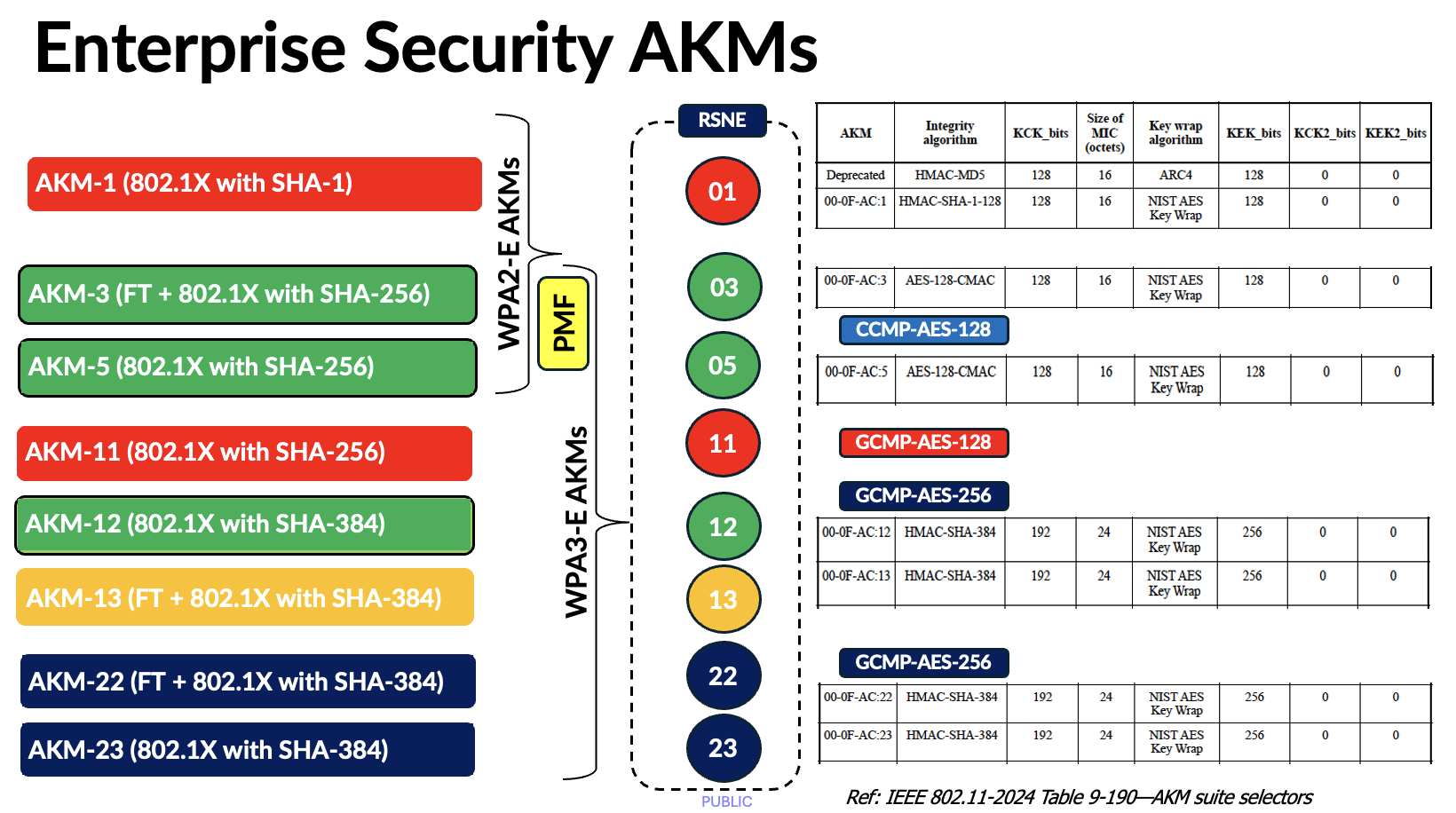
Here are the Enterprise security AKMs. The only difference between WPA2 and WPA3 Enterprise security is the requirement for MFP/PMF (Management Frame Protection); AKM 3 and AKM 5 are still used in WPA3‑Enterprise.
There are three deployment options available, with the most practical being WPA3‑Enterprise Transition.
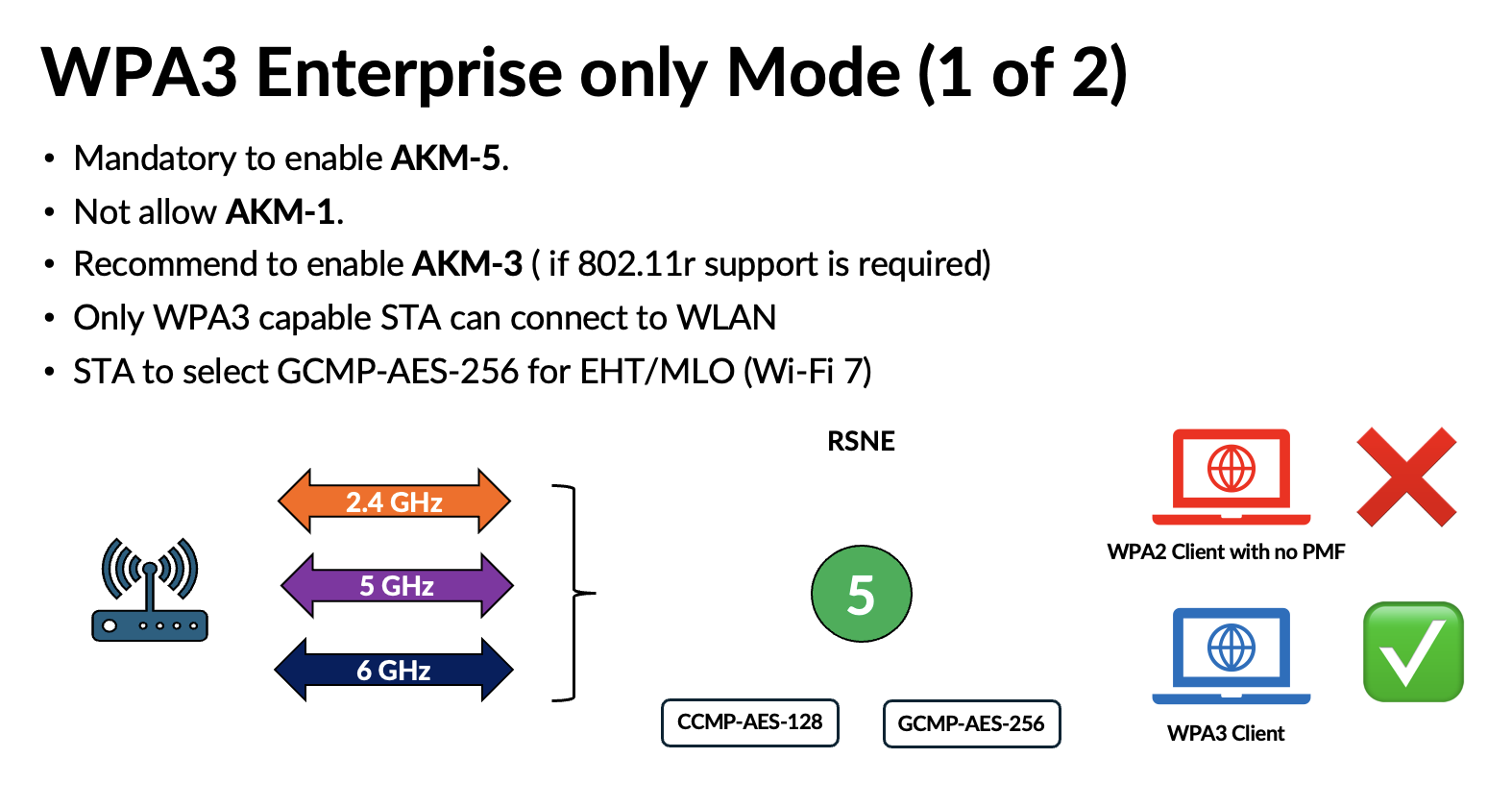
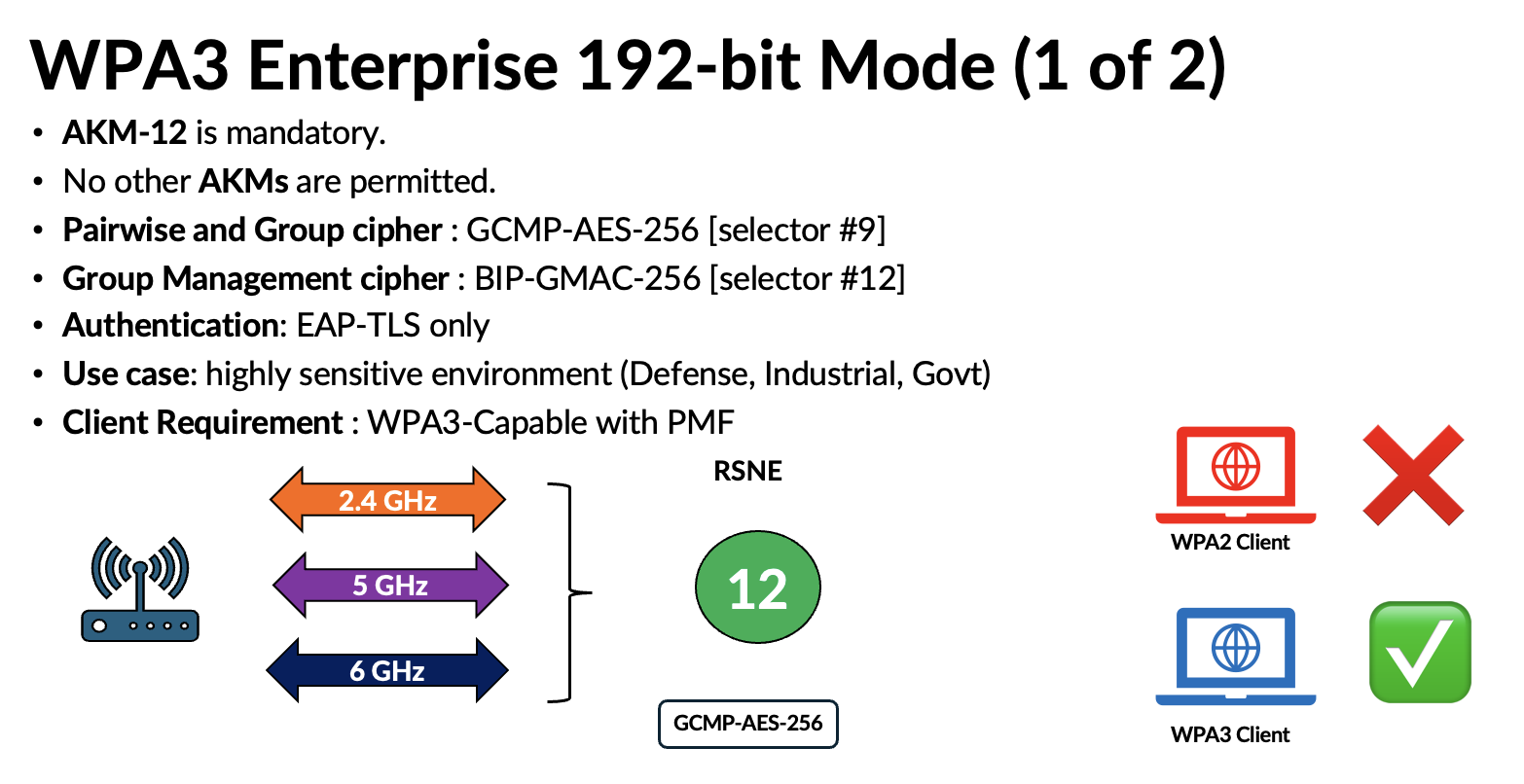
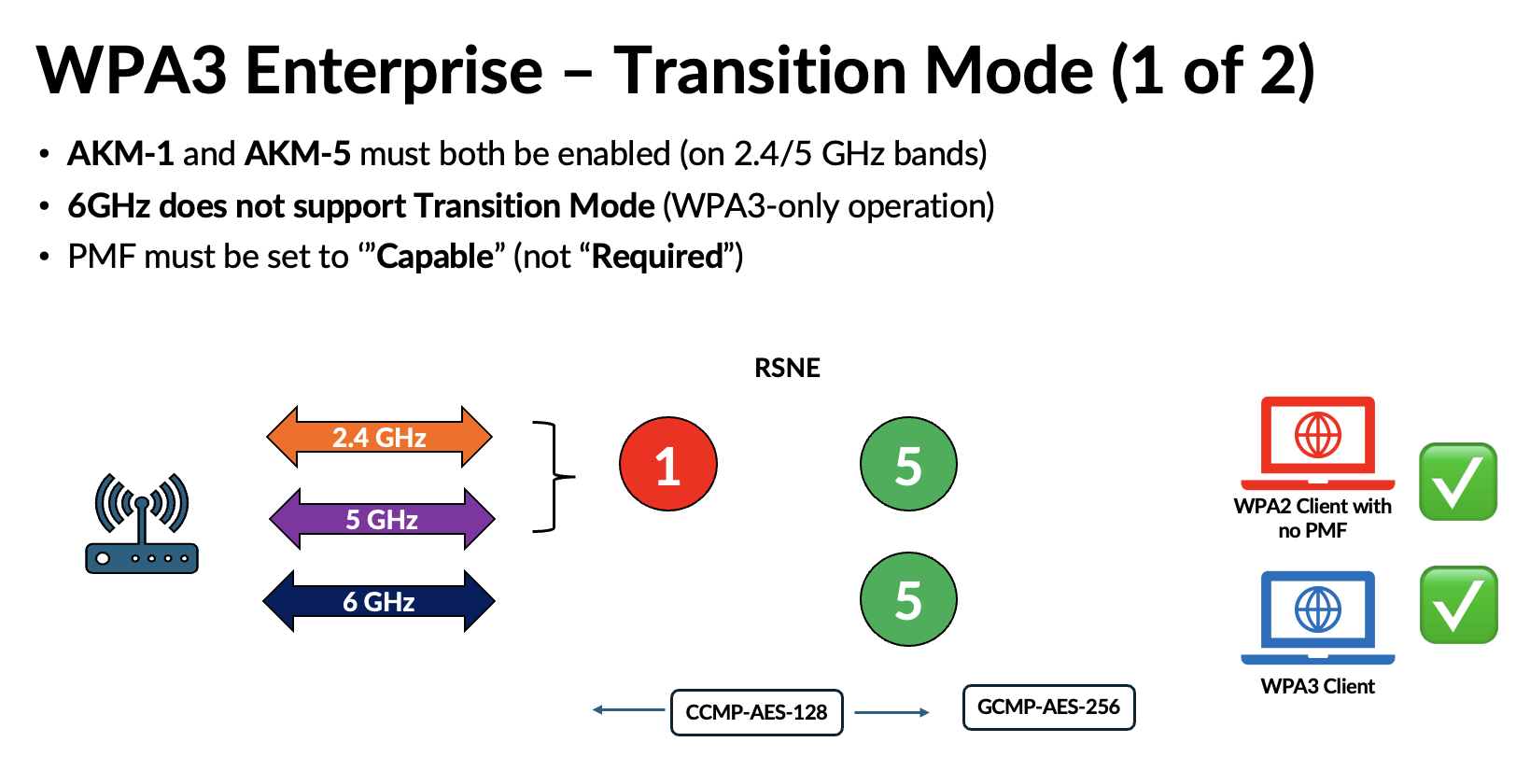
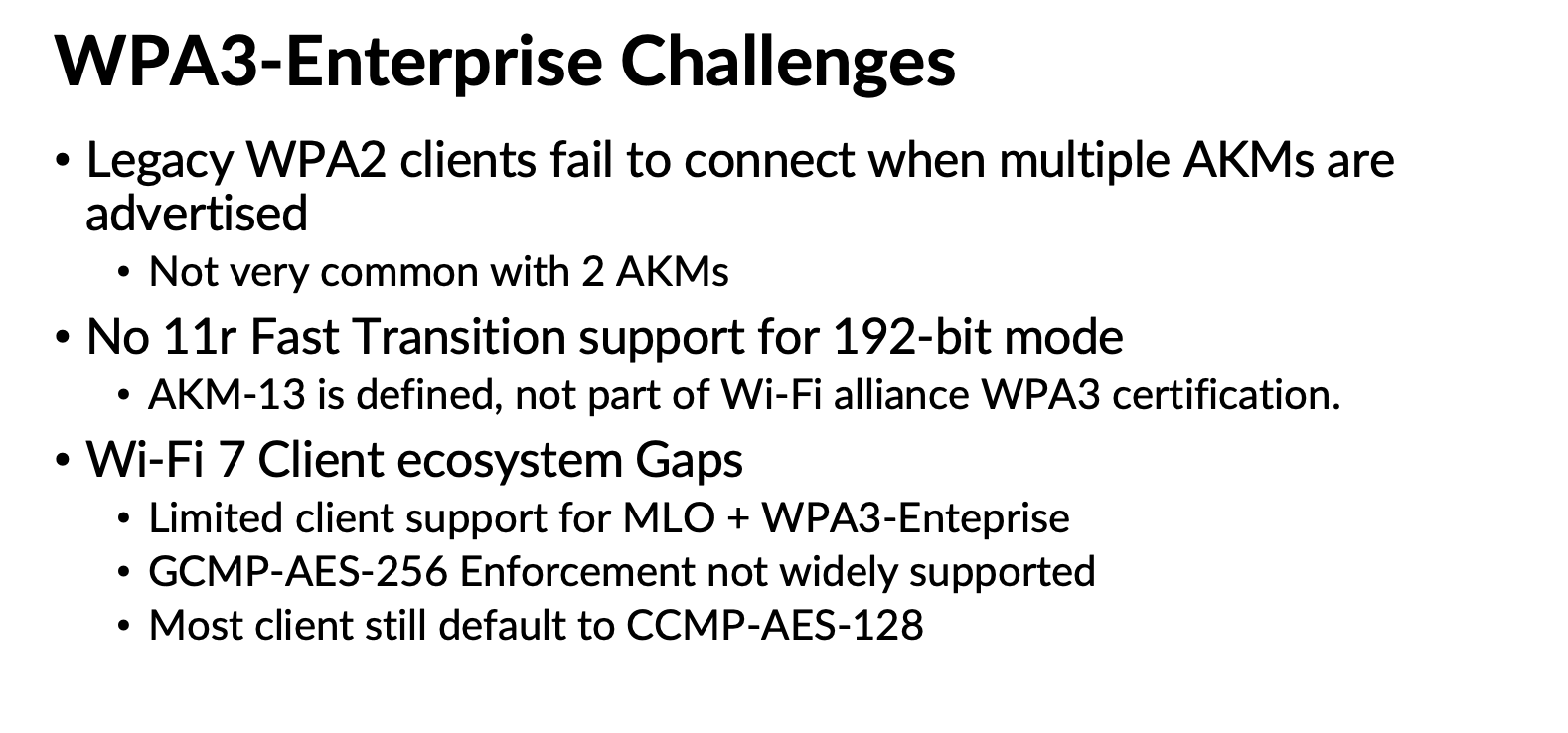
Because WPA3 uses the same AKMs (3 and 5) with PMF enabled, this mode does not introduce significant complications. However, depending on how AKM 22 and 23 are used in the future, they could lead to compatibility issues similar to those experienced with WPA3‑Personal. Here are some of the challenges highlighed in my presentation.
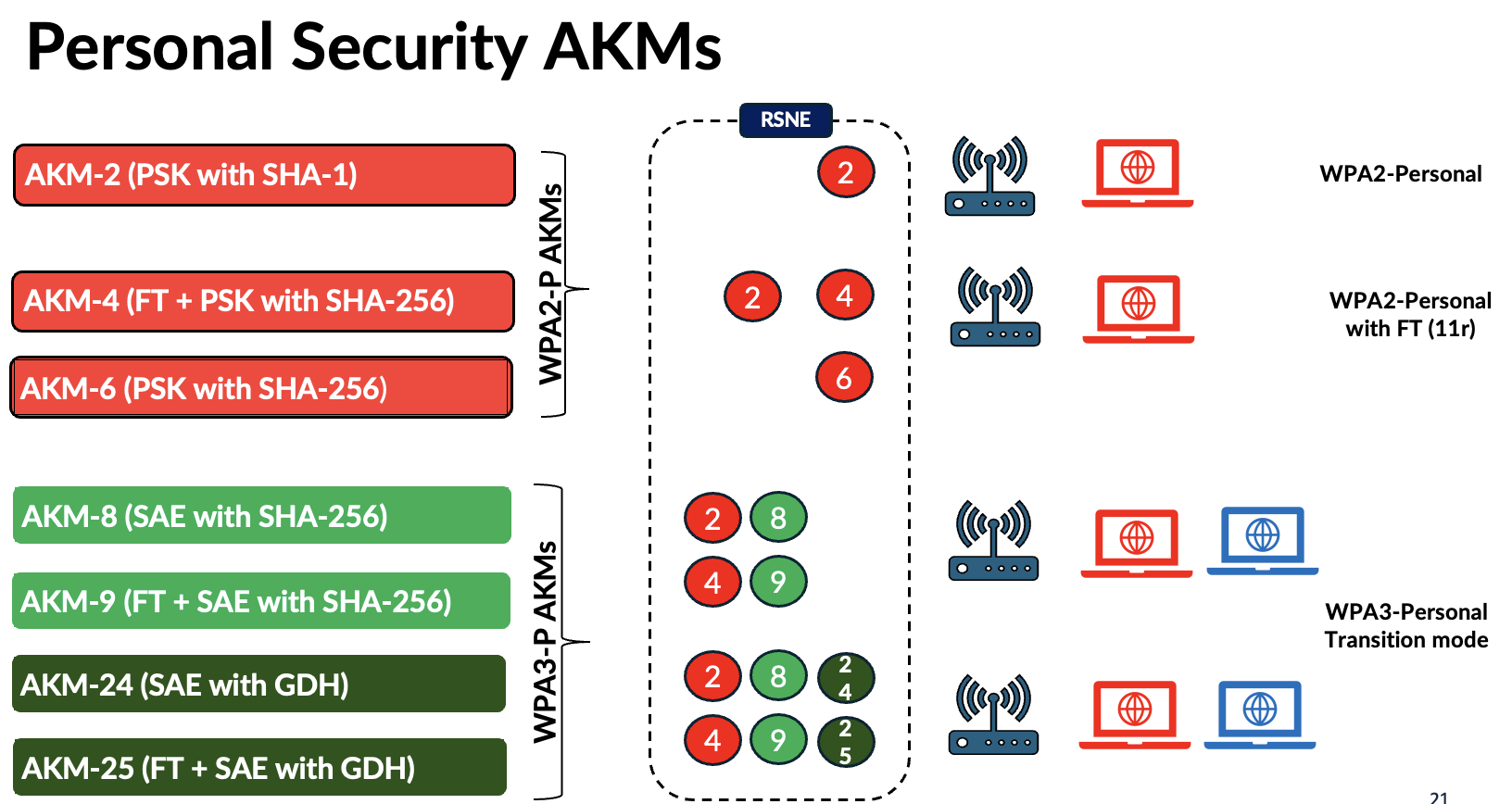
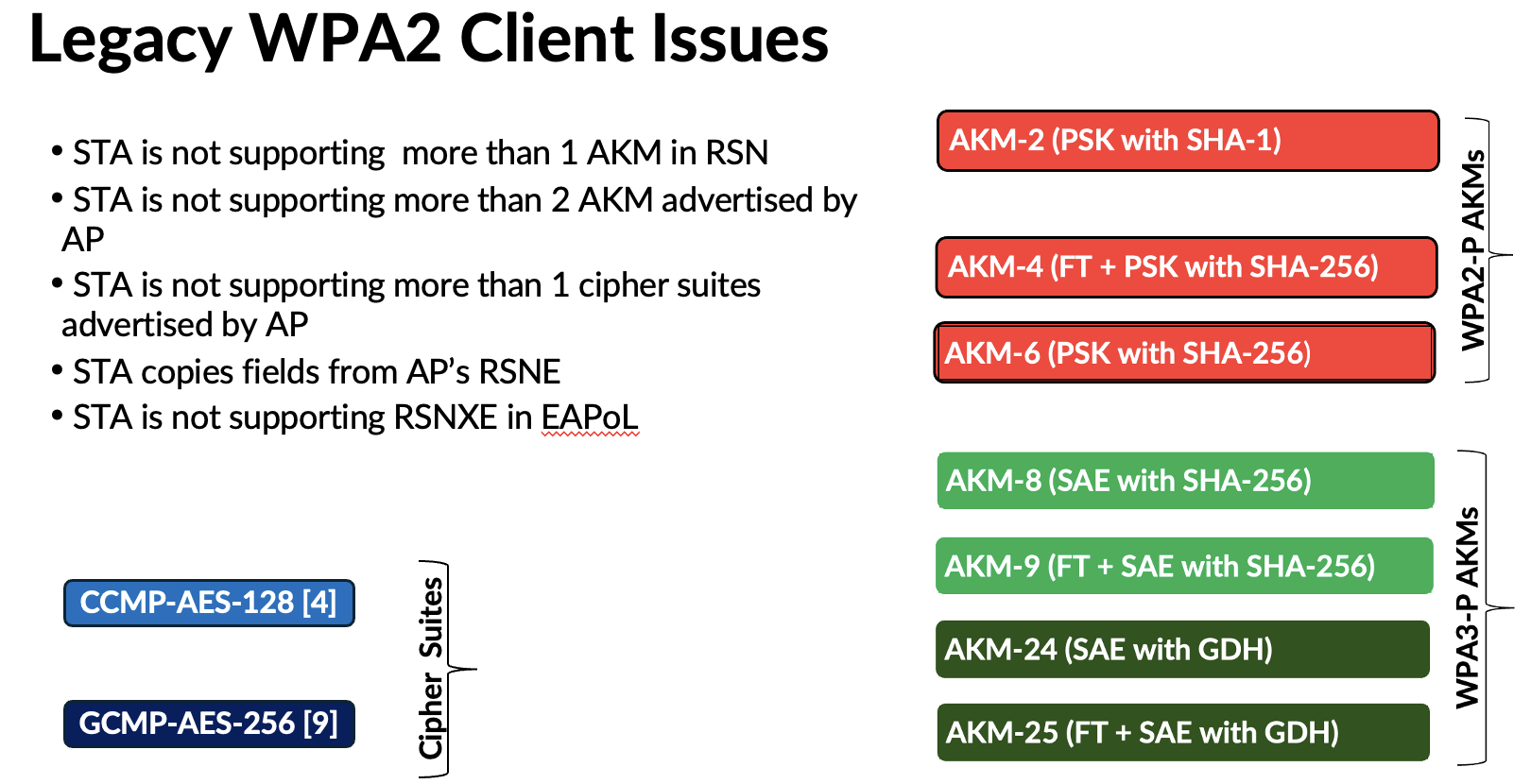
In WPA3‑Personal, new AKMs were introduced to address the vulnerabilities in WPA2‑Personal, along with the move to SAE authentication. With Wi‑Fi 7’s tightened security requirements, two additional AKMs (24 and 25) have also been introduced. As a result, transition‑mode deployments now require advertising more than two AKM suites, along with two cipher suites (CCMP‑AES‑128 and GCMP‑AES‑256). Below is the full list of Personal AKMs.
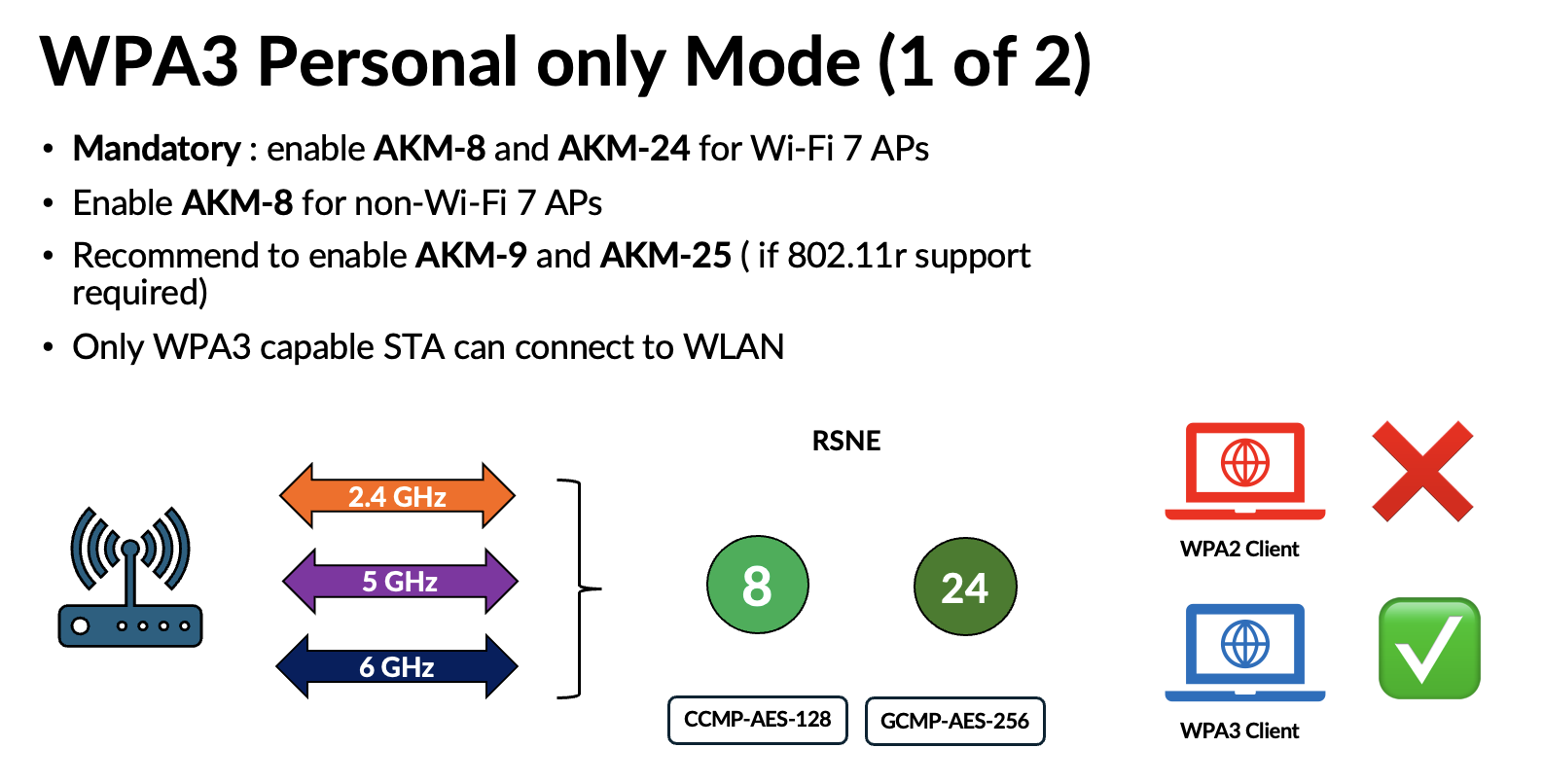
In WPA3‑Personal, you also have three deployment modes. If you have control over the endpoints, you can choose the ‘WPA3‑Personal–Only’ mode.
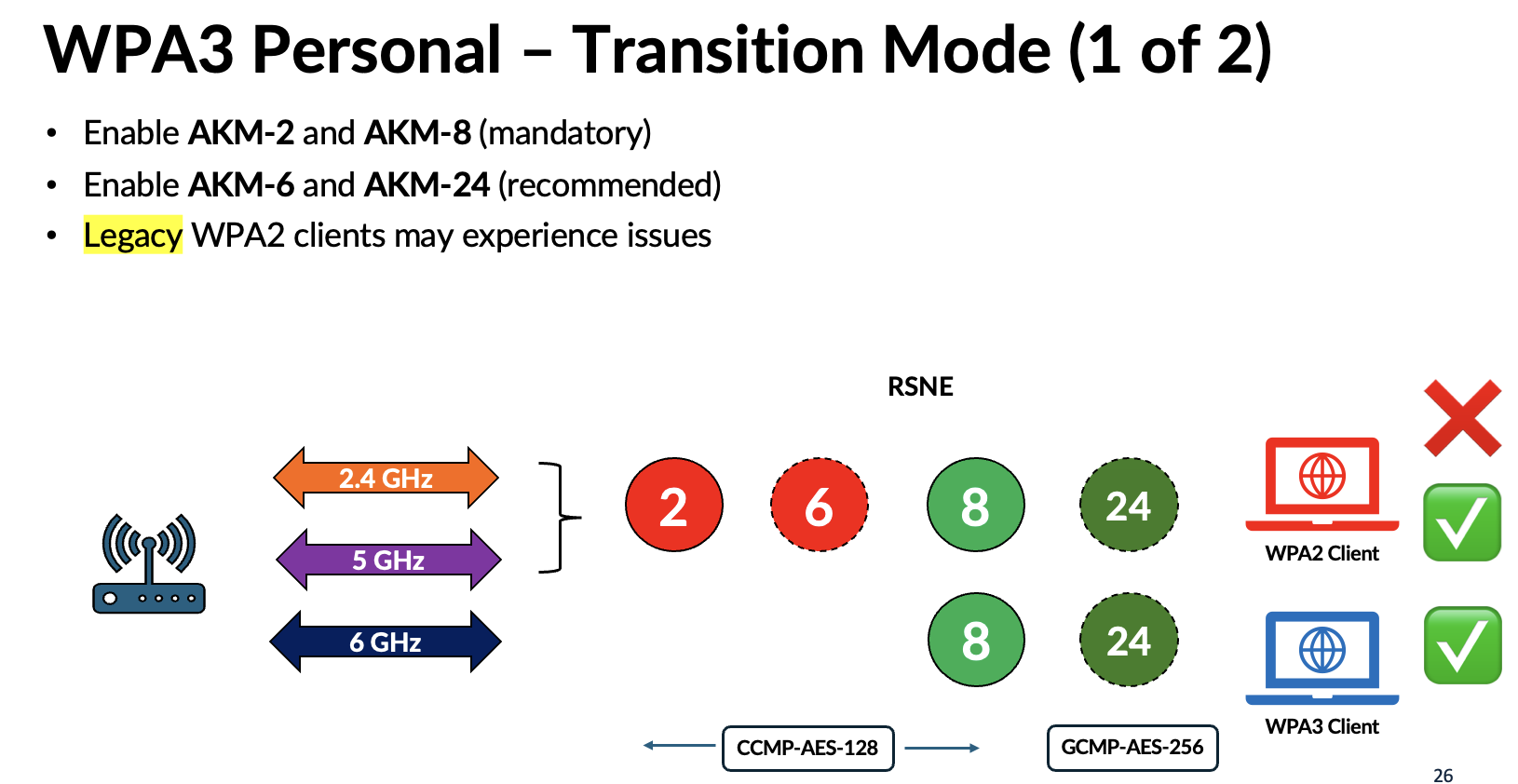
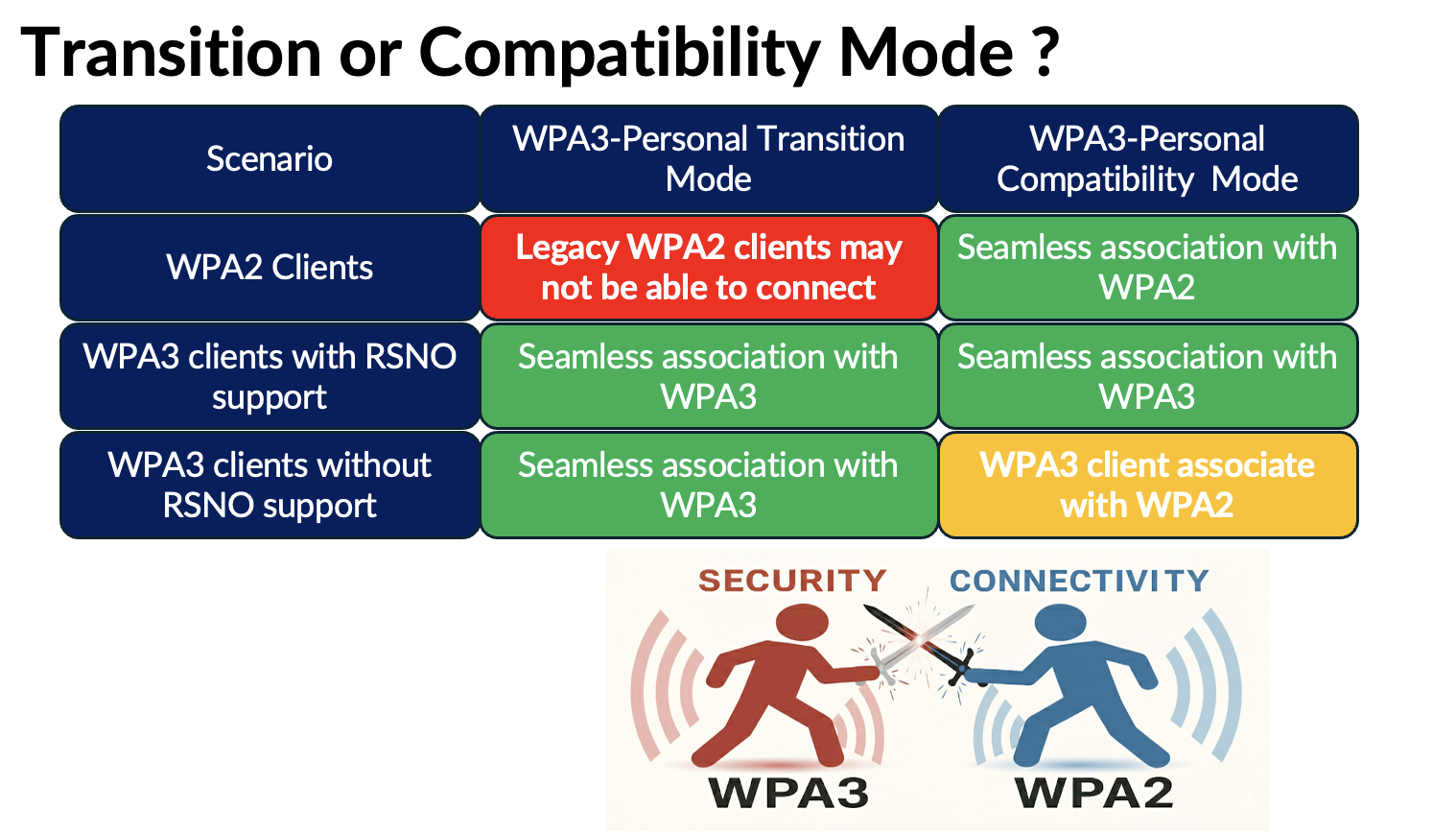
If you need both WPA2 and WPA3 clients to connect, then WPA3‑Personal Transition mode is the right choice. However, although we expected legacy WPA2 clients to behave well when multiple AKMs and cipher suites were introduced, many older clients still experience compatibility issues.
Here are some common issues seen in real‑world deployments. Because of these problems, it is nearly impossible for residential Wi‑Fi service providers to push this mode to home users, and many strongly push back when it comes to WPA3‑Transition.
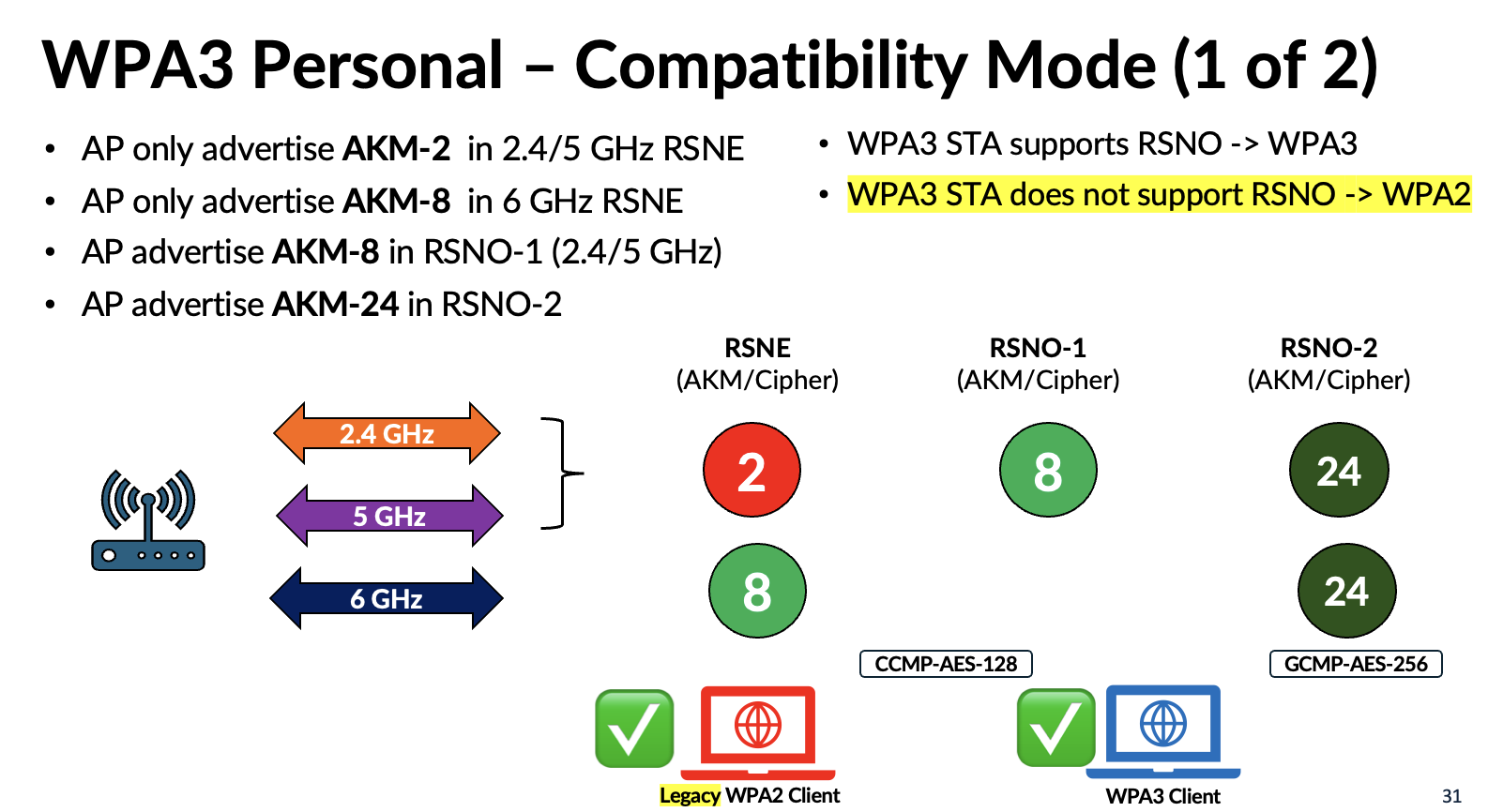
This led to the introduction of a new mode called WPA3‑Personal Compatibility, which keeps the RSN element limited to a single AKM (#2 – PSK with SHA1) and a single cipher suite (CCMP‑AES‑128), while introducing the newer AKMs through the RSN Override element (RSNO-1 and RSNO-2). This prevents legacy WPA2 clients from becoming confused. However, it also introduces a risk for WPA3‑capable clients that do not support RSNO. Since current WPA3 clients generally lack RSNO support unless vendors add it through firmware updates, those devices operating in the 2.4 GHz or 5 GHz bands may downgrade to WPA2 when it connect to WPA3-Compatibility mode SSID.
Given the very slow adoption of the Compatibility mode—partly because enterprise vendors do not see it as a priority and residential Wi‑Fi vendors are reluctant to introduce changes that might cause connectivity issues—it’s unlikely that these problems will be resolved anytime soon.
I’ve created several videos on this topic on my YouTube channel. If you’re interested, feel free to check them out.
 mrn-cciew
Thank you for sharing this information!
Quick question: If you know that all of your clients support FT and WPA3, would there be an issue just using AKM3 (no AKM5)?
Yes that is perfectly fine. If your client all supporting 11r then AKM-3 is good enough. Risk is if you bring a non-11r client that device may not able to connect to that ssid
HTH
Rasika
If wpa3 adoption is so low. Does it mean that wifi 6e and 7 are even lower than that percentage? Do you have any statistics about that percentage?
Edmundo
Obtener Outlook para Androidhttps://aka.ms/AAb9ysg
The stats from one vendors perspective (Juniper Mist). 6E is depend on regulatory and I would expect more % in North American region where they go the full spectrum. Wi-Fi 7 in production would be the lowest I guess.
Ideally other vendors should provide similar stats to get a better picture
Regards
Rasika
That was a great presentation! The AKM breakdowns were very helpful. Seems we might approach our design conversations with the AKM and SSID combination more in mind and as a top item to set expectations.
Yes Wade, You have to go by Wi-Fi alliance recommendation and understand how vendors follow it. With Wi-Fi 7 it is not adhere strictly.
HTH
Rasika
Pingback: Enterprise Wi-Fi 7 Security Profiles: GCMP-256 Impact on Client Association and Roam – Wireless with Wade