Several readers have recently asked how to verify Wi‑Fi 7 Multi‑Link Operation (MLO) support on their devices. In this post, I’ll walk you through the exact steps you can use to confirm whether a client or access point truly supports MLO.
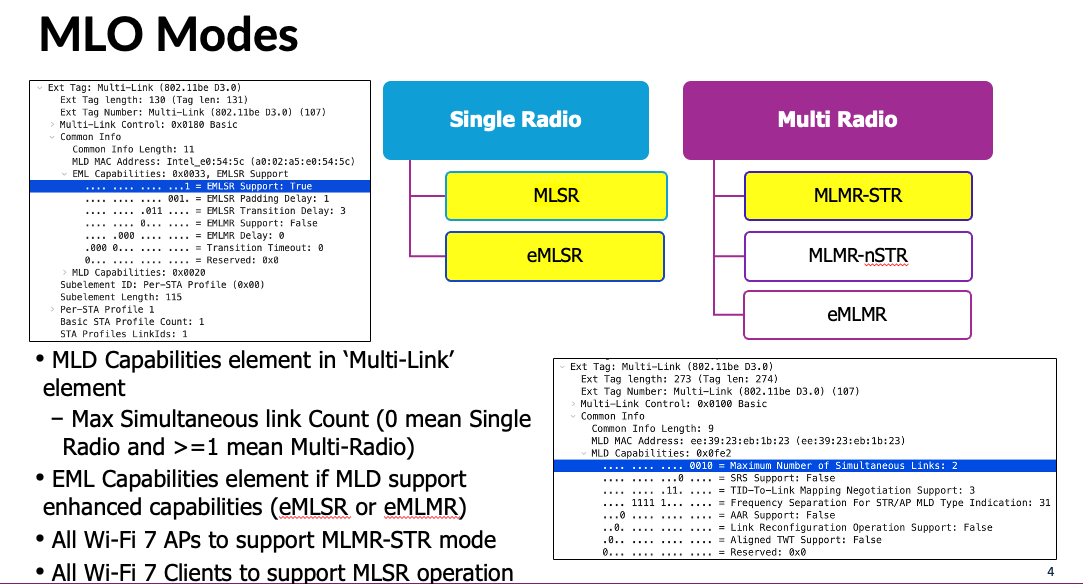
There are two main types of Wi‑Fi 7 clients: single‑radio and multi‑radio. So how do you tell the difference?
The key indicator is found in the Multi‑Link Element (MLE), a management information element included in Wi‑Fi 7 frames.
Within the MLE under “MLD Capabilities“, look for the field called “Maximum Number of Simultaneous Links.”
- If this value is 0, it means the device can operate on only one link (the standard interpretation is value + 1), which indicates a single‑radio client.
- If the value is 1 or higher, the device supports multiple simultaneous links, meaning it is a multi‑radio client.
Access points include this element in Beacon and Probe Response frames to advertise their multi‑link capabilities.
On the client side, the same Multi‑Link Element (MLE) appears in Association Request and Reassociation Request frames.
Wi‑Fi 7 also introduces the Enhanced Multi‑Link (EML) capability, which is designed to reduce latency and improve communication efficiency.
If a device supports EML, you will see the “EML Capabilities” information field under the “Common Info” section of the MLE. Within this field, the “EMLSR Support” and “EMLMR Support” bits indicate whether the device supports Enhanced MLSR or Enhanced MLMR modes
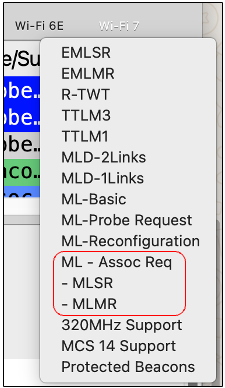
In my Wireshark profile, I created a display‑filter shortcut to quickly identify Multi‑Link Association Requests with MLSR or MLMR support. With this, you can easily check whether your clients are using Wi‑Fi 7 MLO.
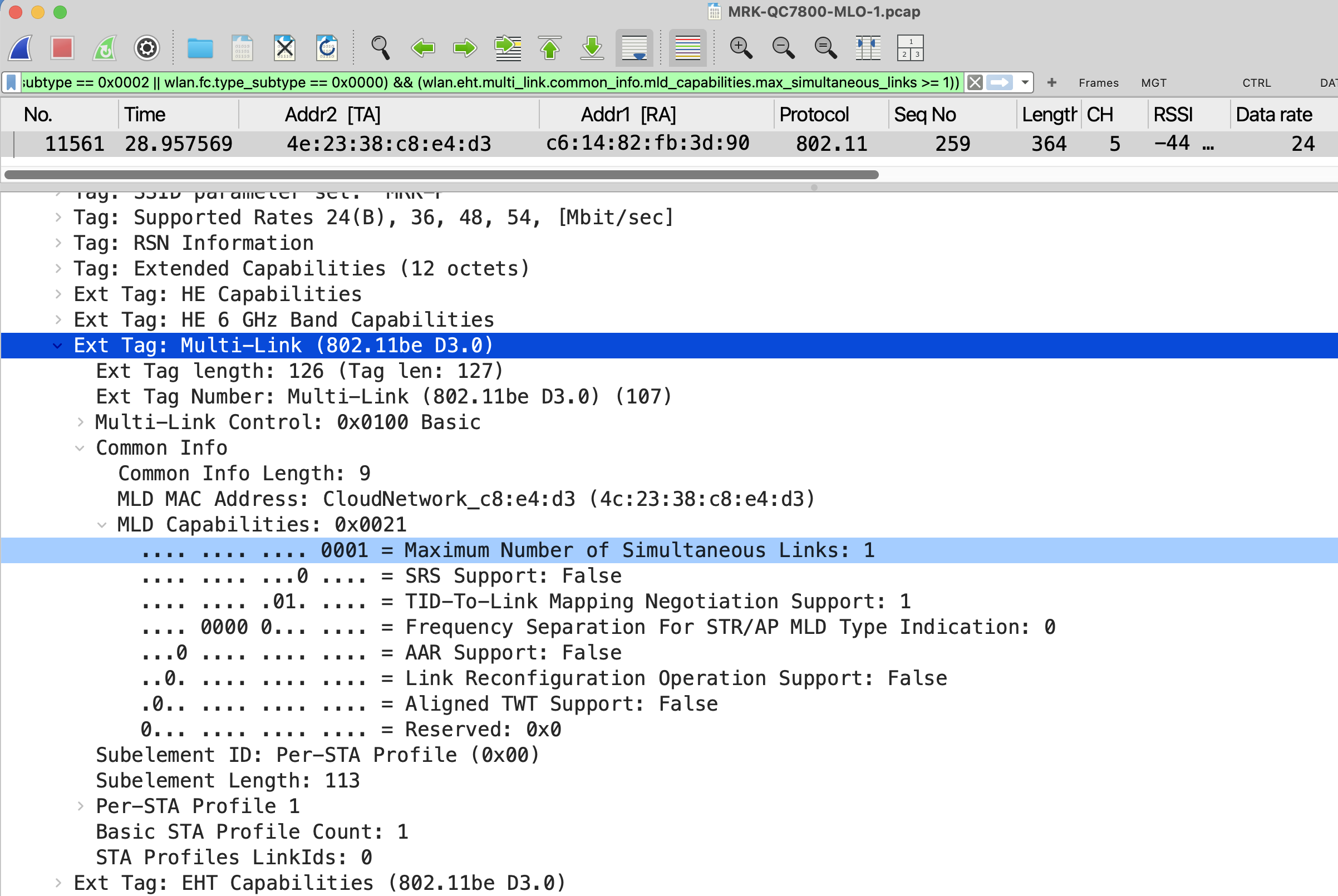
Here are the three PCAP files captured during my testing (watch the video to understand the differences between each capture). In these traces, you can see the Qualcomm FC7800 sending an Association Request that includes the Multi‑Link Element (MLE) with only the “MLD Capabilities” field present. Within that field, the “Maximum Number of Simultaneous Links” value is set to 1.
This means the device supports only MLMR (but not eMLMR) and can transmit traffic simultaneously over two links (value + 1). This confirms that the FC7800 is operating as an MLMR‑STR client.
You can see the EHT Capabilities, which include 320 MHz support across all MCS levels (0 to 13). Note that MCS 12 and MCS 13 use 4096‑QAM
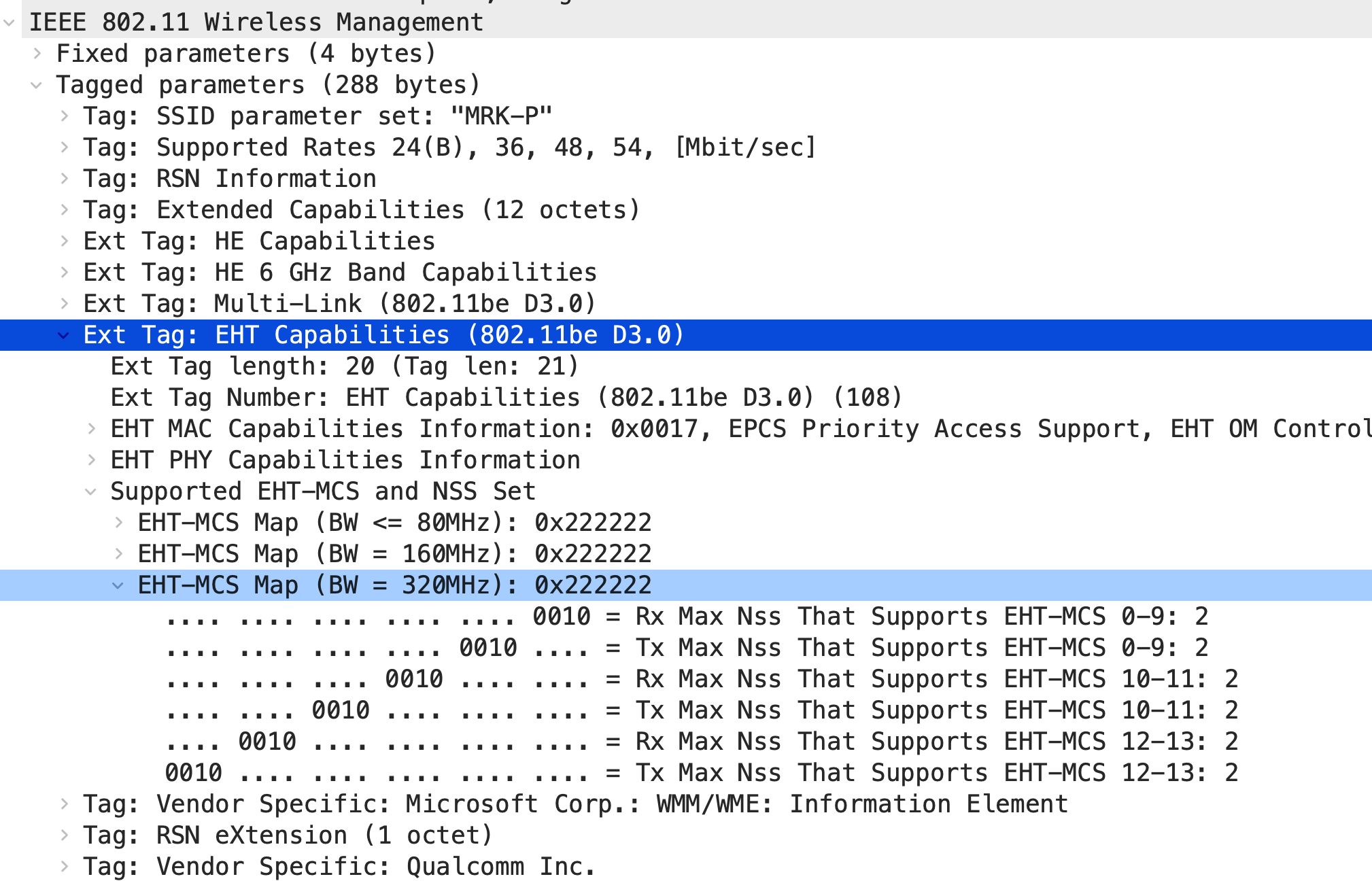
From the Windows client itself, you can verify some of this information. Based on the Tx/Rx rate of 5764.8 Mbps, you can refer to mcsindex.net to determine that this rate is achievable with 320 MHz channel width and MCS 13 using a 2‑spatial‑stream client.
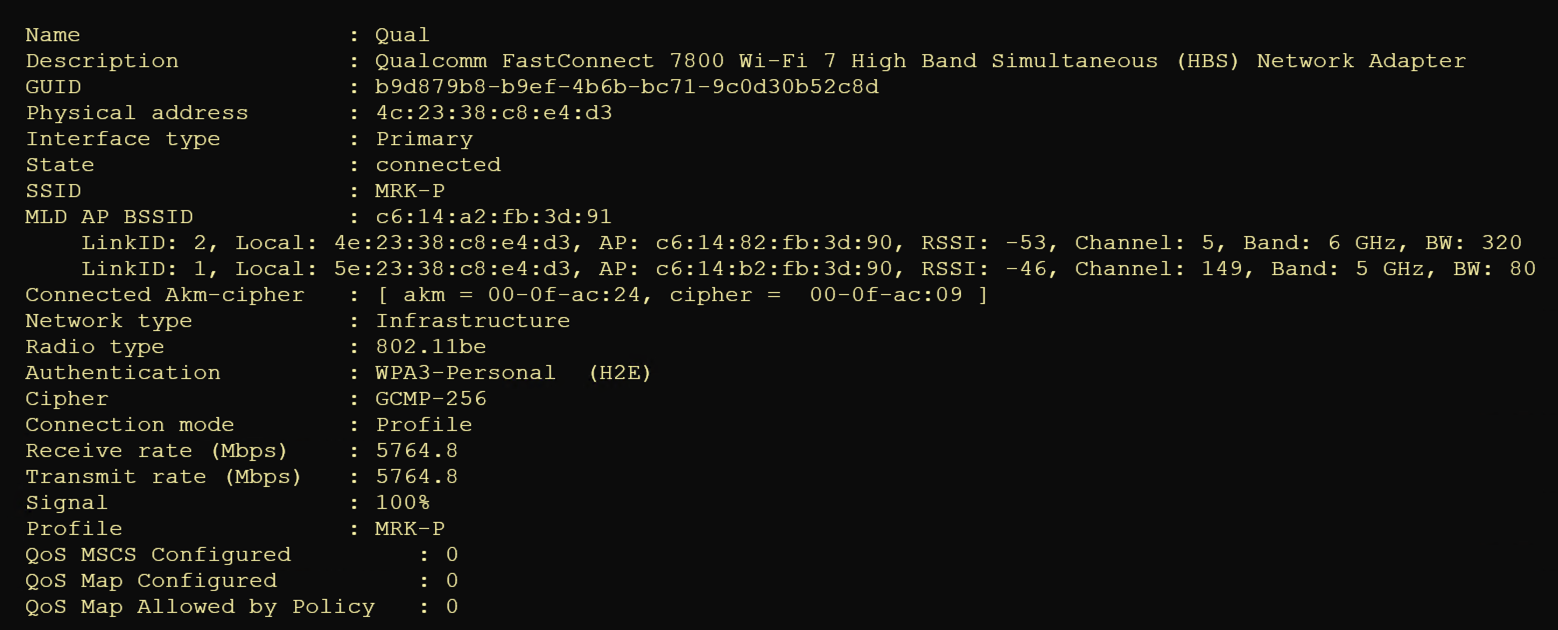
In the next post, I’ll compare the MLO capabilities of the different clients I have available (Intel BE200, QC7800, Netgear 9000, Comfast 6500BE, iPhone 16 Pro, and Pixel 8).
 mrn-cciew