
Tags
RSN Override, RSNO, SAE, WPA3
When deploying SSIDs with Personal security, you have several options. With WPA2-Personal, there are three AKM choices (2, 4, and 6). WPA3 introduces four new AKMs (8, 9, 24, and 25) for WPA3-only SSIDs.

This can make it confusing to decide how to configure your SSID, especially if you want WPA3 enabled but still need WPA2 clients to connect. In this post, we’ll explore the three available deployment options highlighted by Wi-Fi alliance.
- WPA3-Personal Only Mode
- WPA3-Personal Transition Mode
- WPA3-Personal Compatibility Mode
WPA3-Personal Only Mode – In this mode, you need to create two separate SSIDs: one for WPA2-only and another for WPA3-only. This approach isn’t ideal from an RF perspective because adding extra SSIDs increases management overhead and can confuse users, as they must choose the correct SSID when connecting.
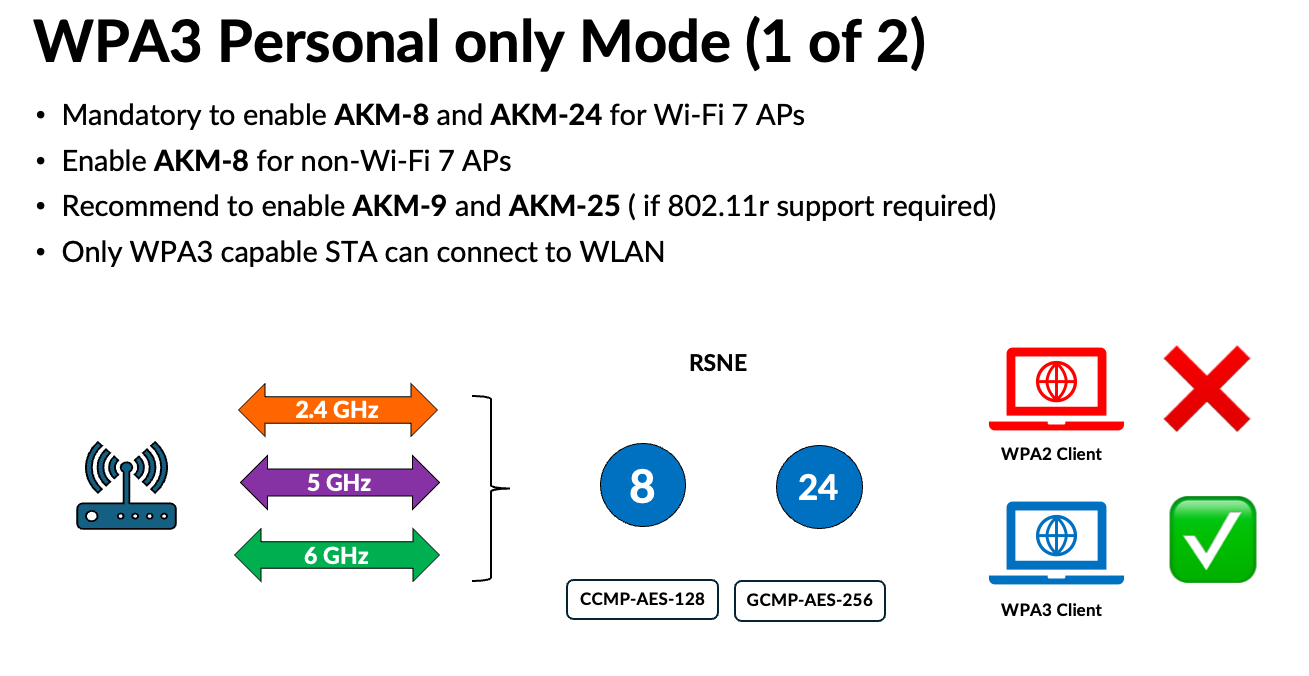
Here is a RSN element of such SSID
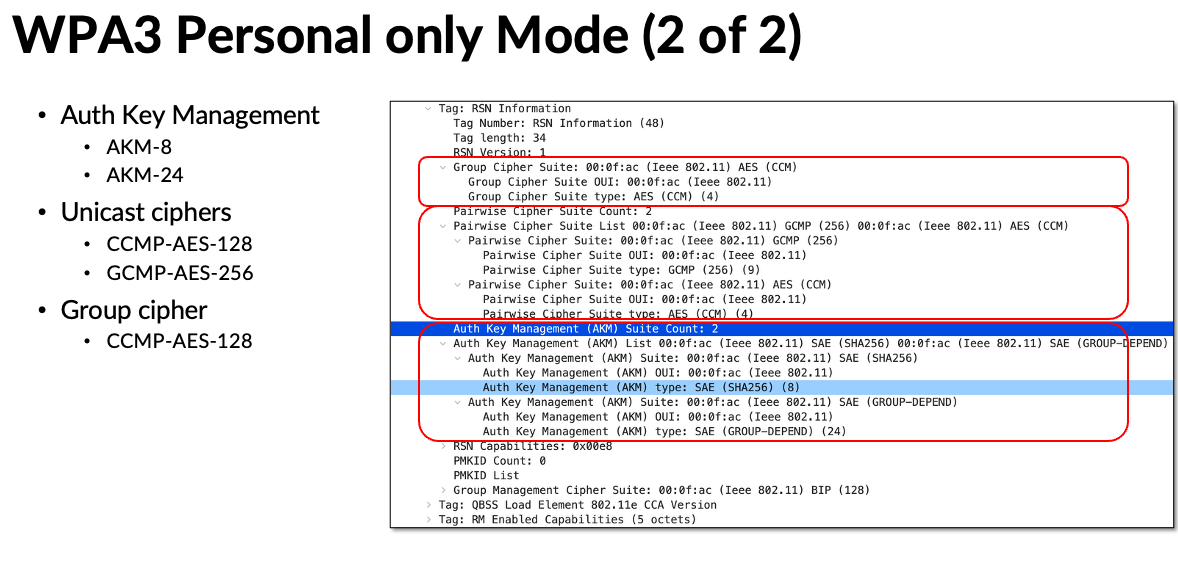
WPA3-Personal Transition Mode -In this mode, the SSID advertises both WPA2 and WPA3 AKMs along with their respective encryption ciphers. WPA3 clients are expected to use WPA3-AKM with GCMP-AES-256 (Wi-Fi 7) or CCMP-AES-128 (Wi-Fi 5/6/6E), while WPA2 clients (mostly Wi-Fi 4) use WPA2-AKM with CCMP-AES-128.
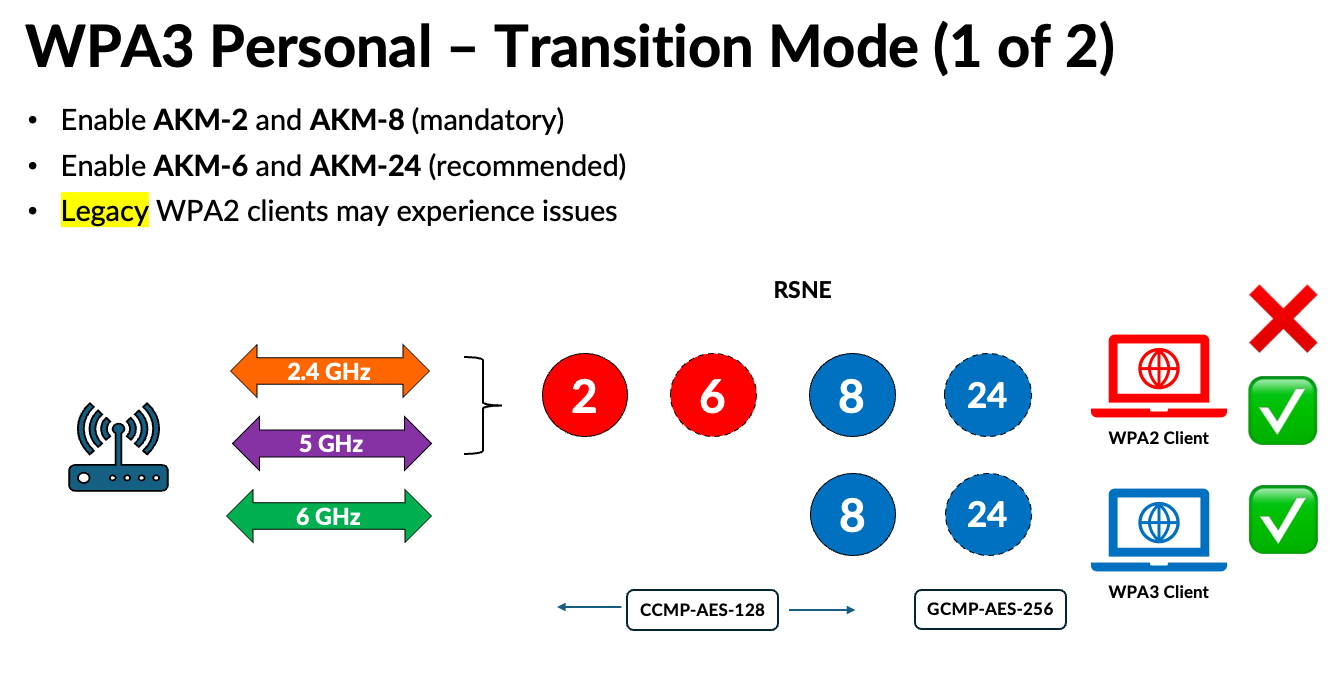
Here is a WPA3-Transition mode SSID, RSN element.
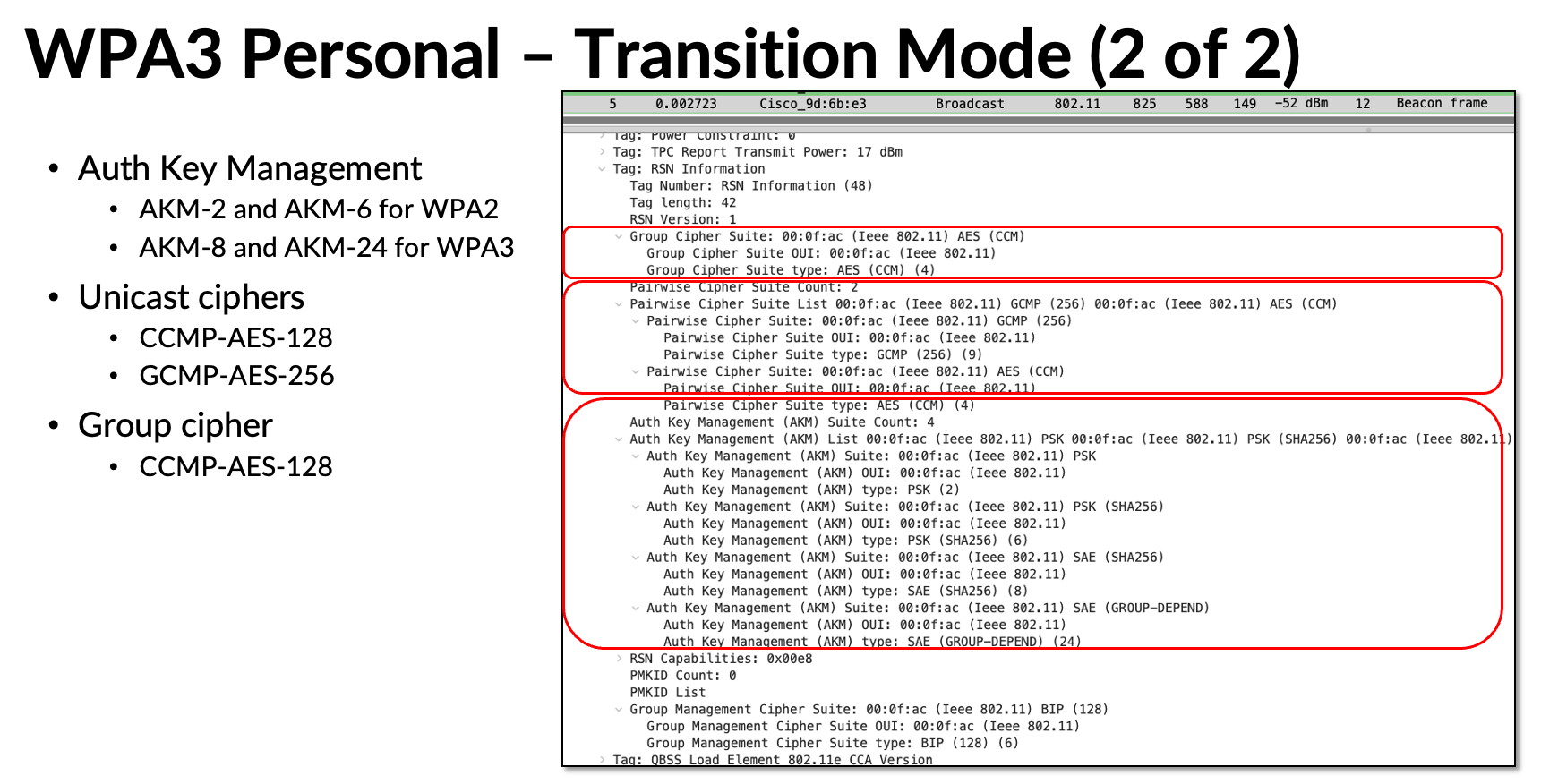
However, in the real world, legacy WPA2 clients often experience connectivity issues when they encounter multiple AKM values and encryption ciphers in the RSNE. This has slowed the adoption of WPA3-Personal. To address this, IEEE introduced the RSN Override – RSNO feature. The latest deployment mode, WPA3-Personal Compatibility, was introduced by the Wi-Fi Alliance based on RSN Override feature.
WPA3-Personal Compatibility Mode – In this mode, the RSN element advertises limited capabilities, while WPA3 AKMs are included in RSN Override elements. For Wi-Fi 7, AKM-24 and GCMP-AES-256 are advertised in the RSNO-2 element. For Wi-Fi 5/6/6E WPA3 clients, AKM-8 is advertised in RSNO-1 on the 2.4/5 GHz bands. Since 6 GHz doesn’t support WPA2, its details are advertised in the RSNE itself. In this mode, legacy WPA2 clients only see AKM-2 and CCMP-AES-128, so they can connect without confusion.
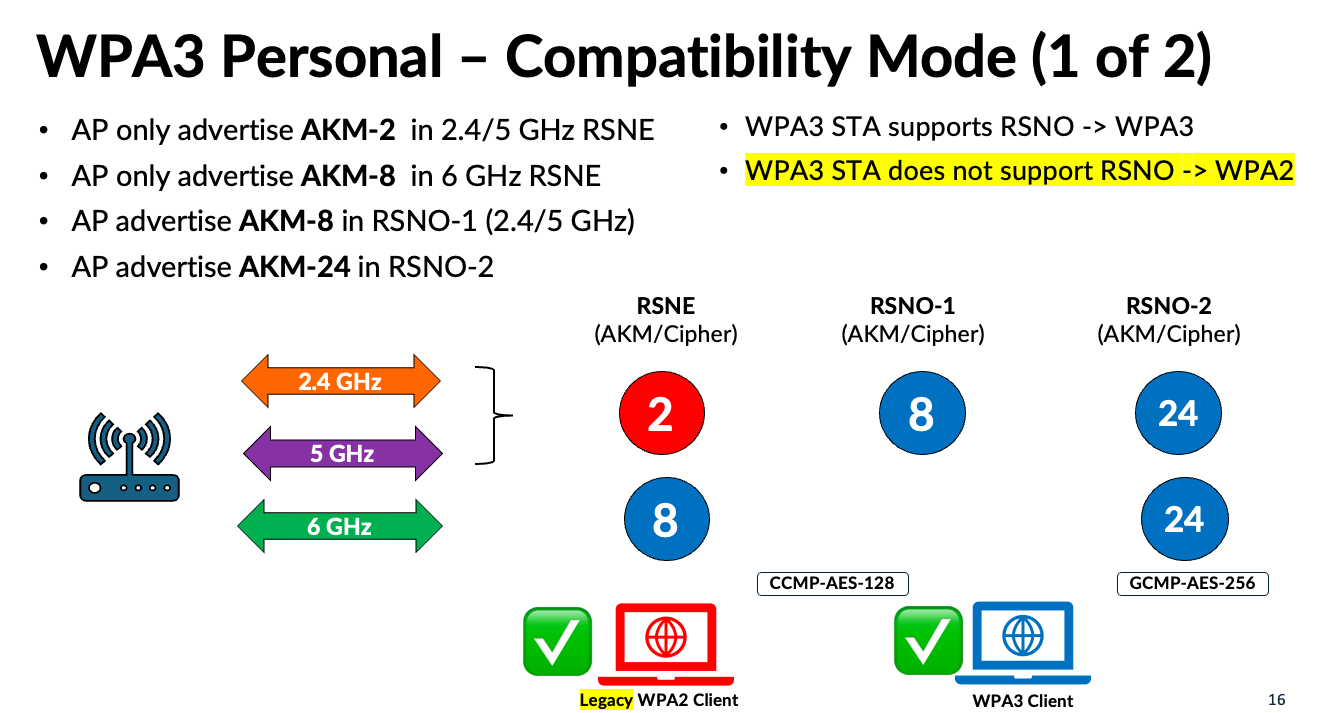
Here is RSN and RSNO elements of a SSID configured for “WPA3-Personal Compatibility”
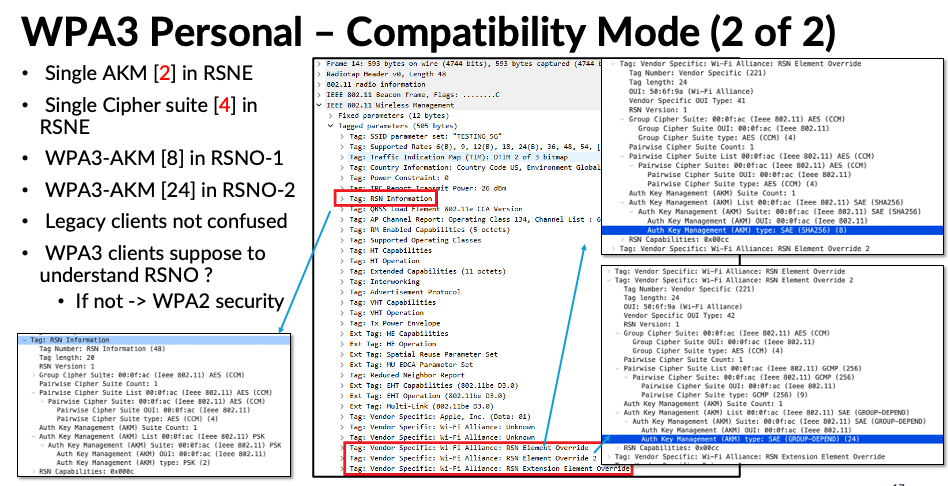
The drawback of WPA3-Personal Compatibility Mode is that if a 2.4/5 GHz WPA3 client doesn’t support the RSN Override feature, it will fall back to WPA2. From a security perspective, this is a downgrade and not ideal. Most current WPA3 clients don’t yet support RSN Override, but hopefully, vendors will release firmware updates to enable this feature and overcome this limitation.
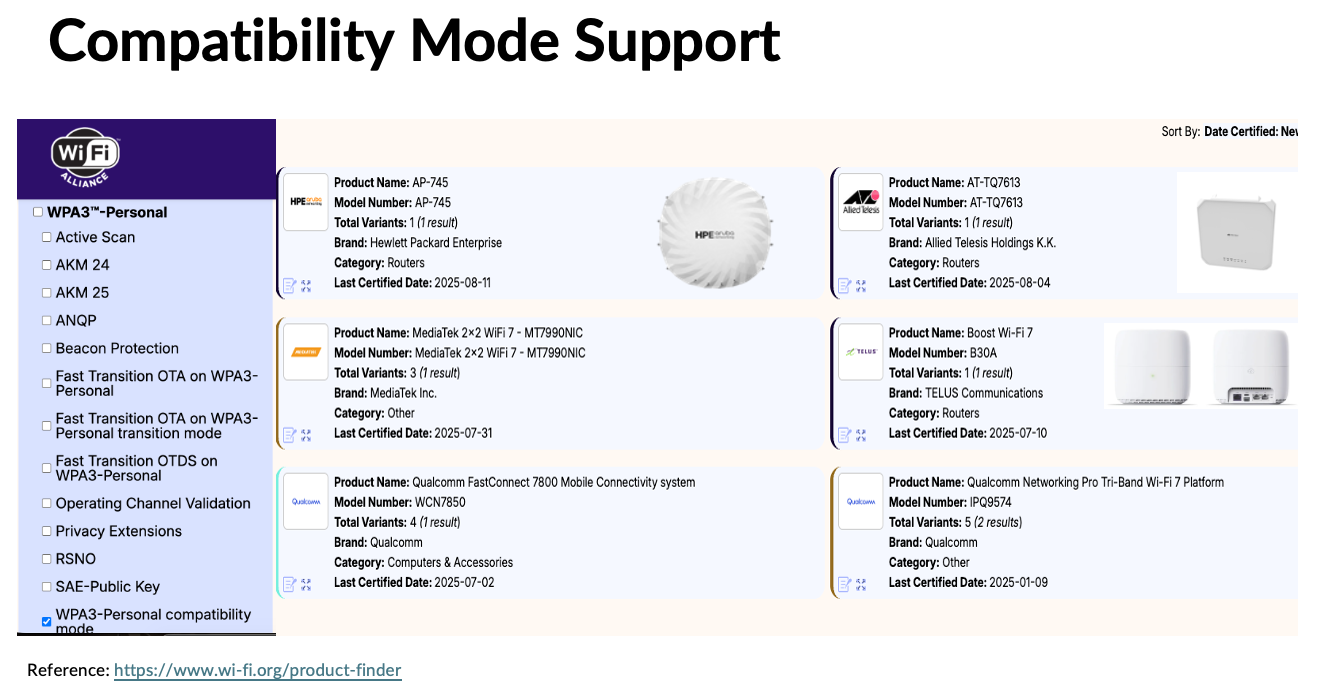
You can find details of RSNO supported, Wi-Fi Alliance certified devices using the product finder option available on the Wi-Fi Alliance website. As of today only limited products supporting RSNO & WPA3-Personal Compatibility feature.
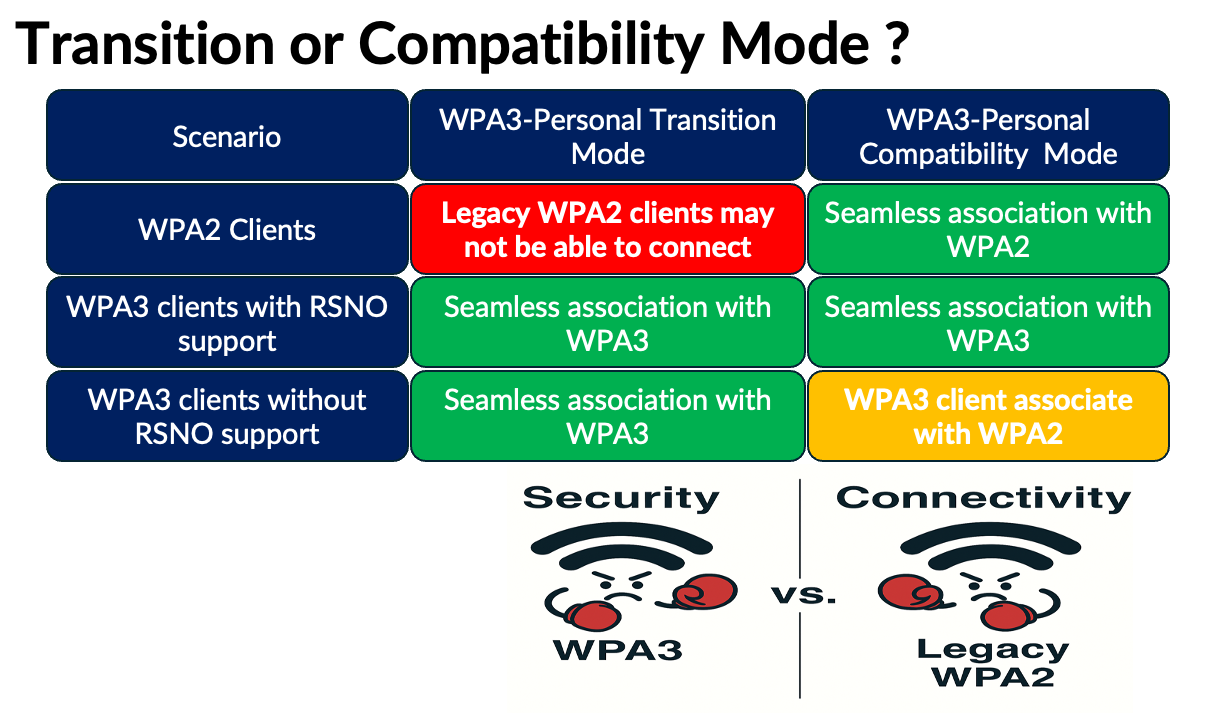
In short, you need to choose the right WPA3-Personal mode. If you have many legacy WPA2 devices that you cannot replace but still want them to connect, WPA3-Personal Compatibility Mode is the better choice. If you control the client devices and want to enforce WPA3 security, WPA3-Personal Transition Mode may be the way to go. Ultimately, it’s a trade-off between connectivity and security.
Here is a video explaining it if you like the video format
 mrn-cciew
Great breakdown… as I try to narrow in on design and security aspects of wireless this is of great assistance….
Thank you Jonathan, Glad to hear that helps.
Awesome cool KT
Thank you Avinash