
If you’re a network or wireless engineer and only have access to a Windows computer, you might be wondering whether it’s possible to capture Wi-Fi packets for troubleshooting. While it’s not straightforward, it is achievable using certain third-party applications that can switch your Wi-Fi adapter into monitor mode.
‘CommView for Wi-Fi‘ is one such application that allows you to do this. It lists many different USB adapters (including Wi-Fi 7) that support monitor mode when used with this application.It’s typically priced in the $500–$700 range, and you can use the trial version to check it out (which is what I used for this testing).

Capturing a PCAP using CommView is a simple process. Once you run the application, it will automatically switch your Wi-Fi adapter to monitor mode. After selecting the appropriate channel, you can simply click the ‘Start‘ button to begin the PCAP capture. Here is a short video of that and download the PCAP if you like to go through it.
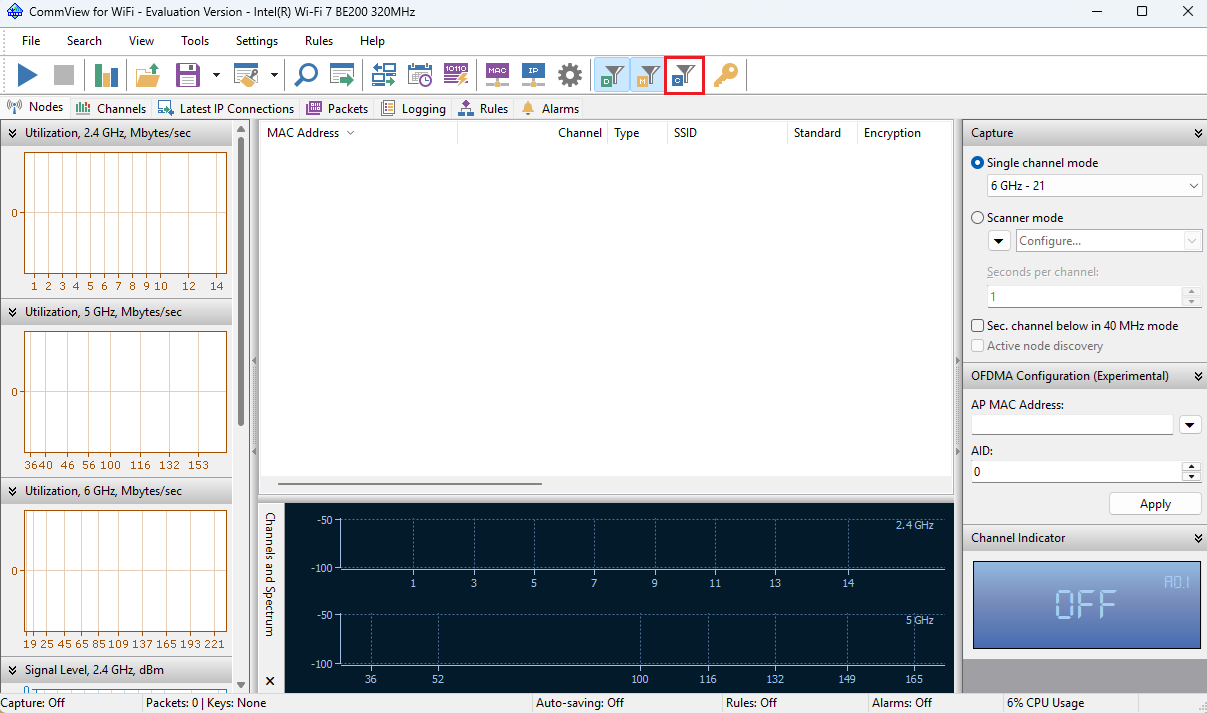
You need to select the ‘Control Frames’ option (see below image) if you want to include control frames in your capture.
In next post, let’s look at how can you use a WLANPi with Windows OS to take Wi-Fi PCAP.
 mrn-cciew