Tags
Apple recently released its latest iPhone models, the iPhone 18 and iPhone Duo. From a Wi-Fi perspective, however, these devices use the same Apple N1 wireless chipset that was first introduced with the iPhone 17 and M5-series MacBooks. All of these devices support Wi-Fi 7 and Multi-Link Operation (MLO).
Apple provides Wi-Fi specifications for most of these devices in its official documentation. However, understanding their actual MLO behavior requires hands-on testing. Specifications can tell us what features are supported, but they do not always reveal how those features are implemented in real-world scenarios. Watch how I tested it in this video.
In this post, I’ll share my observations and findings from testing MLO on a MacBook Pro equipped with the Apple N1 chipset. We’ll look at how the device behaves in practice, which MLO operation it uses, and what that means for Wi-Fi 7 deployments. For my testing, I used a Cisco Catalyst 9800 WLC running 17.18.3 and a Cisco CW1978 access point. The test SSID was configured for WPA3-Enterprise, with both AKM 3 (FT + 802.1X) and AKM 5 (802.1X-SHA256) enabled. The WLAN also supported both GCMP-256 and CCMP-128 encryption ciphers.
The packet capture (PCAP) was collected using an Ekahau Sidekick 2. Since the Sidekick 2 is a Wi-Fi 6E device, it cannot capture Wi-Fi 7 data frames. However, it can still capture the necessary management and control frames, which are sufficient for validating the client’s MLO behavior. You can download two PCAPs from here.
For the first test scenario, the SSID was configured for tri-band operation (2.4 GHz, 5 GHz, and 6 GHz). A MacBook Pro (M5) connected to the test SSID, and throughput testing was conducted using a local server as the test endpoint.
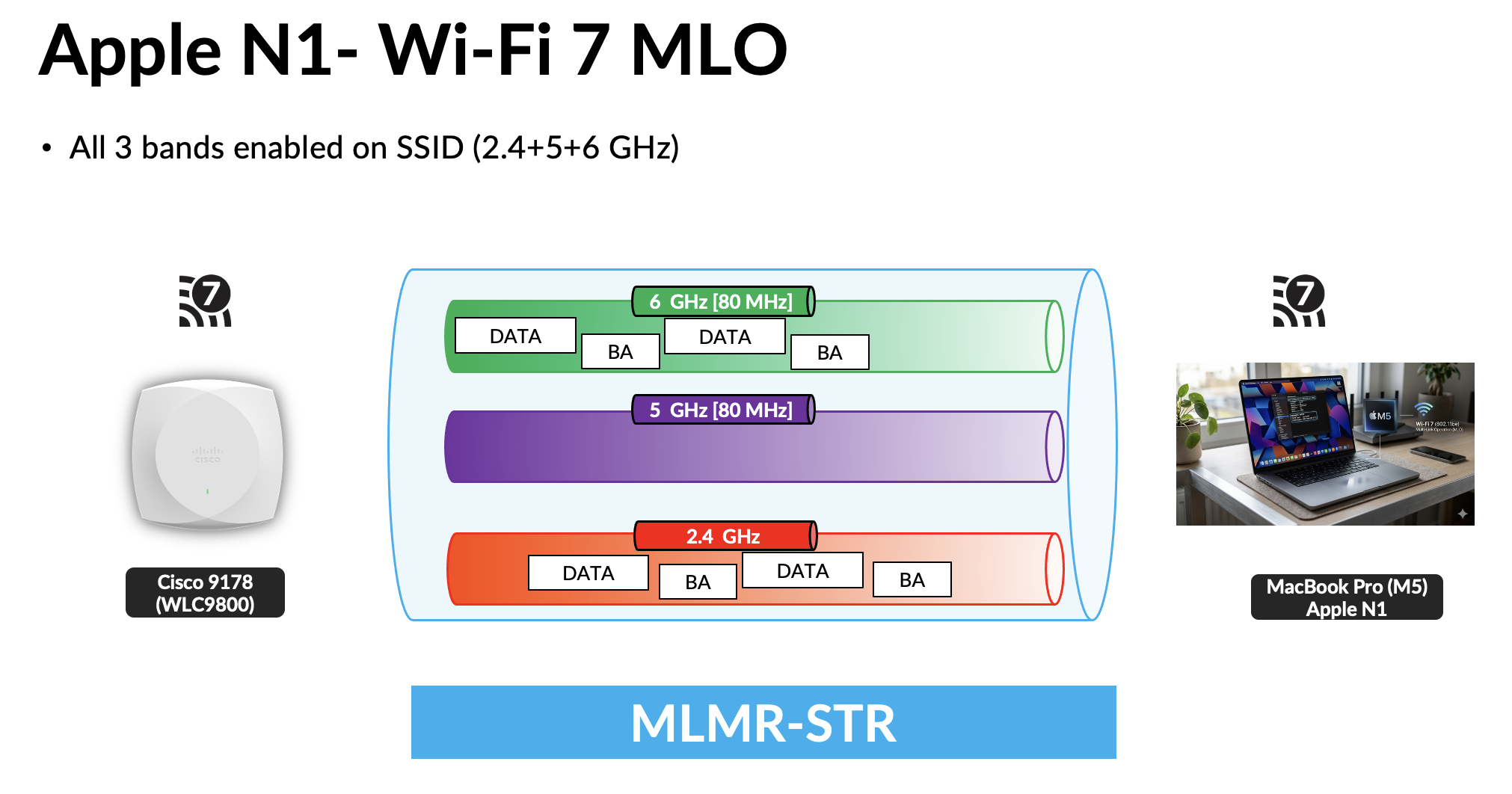
In this scenario, the client included a Multi-Link element in its Association Request (SK2_9KWPA3-E_MBPM5[11,149,69].pcap), containing two Station Profiles. The 5 GHz Station Profile (Link ID 1) included an NSTR bitmap value of 0x08, with the second bit position set to 1 [100]. This indicates that the 5 GHz link and the 6 GHz link (Link ID 2) cannot participate in Simultaneous Transmit and Receive (STR) operation and must instead operate as a Non-STR (NSTR) link pair. As shown in the video above, the MacBook Pro simultaneously utilizes the 6 GHz and 2.4 GHz links. However, this behavior was observed only for uplink traffic, with no evidence of simultaneous multi-link operation in the downlink direction during testing.
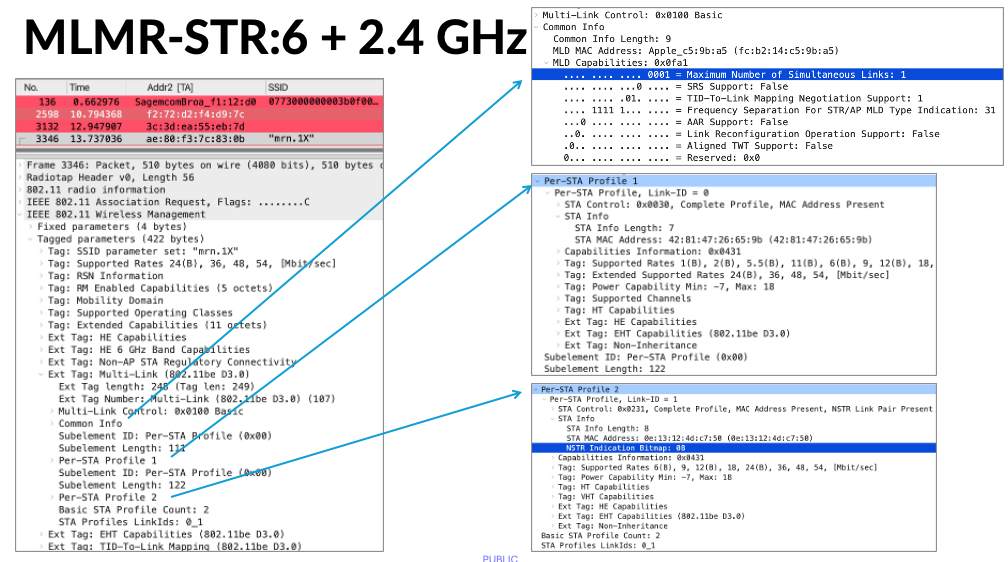
Although the SSID above was configured with all 3 bands, most production environments typically deploy their primary SSID on the 5 GHz and 6 GHz bands only.
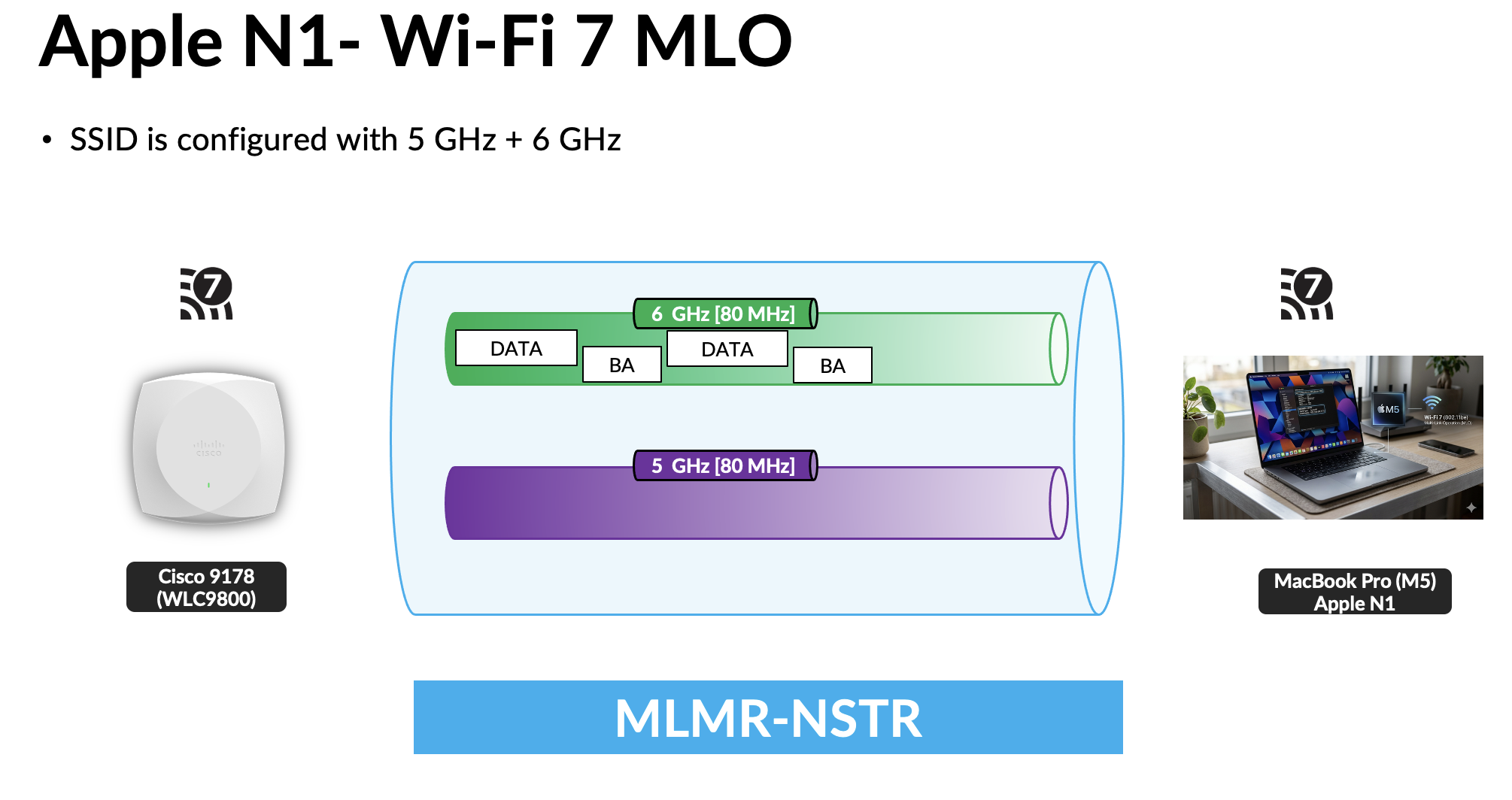
The Association Request frame (SK2_9KWPA3-E_MBPM5[149,69].pcap) details for this test are shown below. The Apple client advertises a Maximum Number of Simultaneous Links value of 0, which indicates that it does not support simultaneous use of multiple links for MLO traffic. In addition, the 5 GHz Station Profile contains an NSTR bitmap, indicating that the 5 GHz and 6 GHz links are operating as a Non-STR (NSTR) link pair.
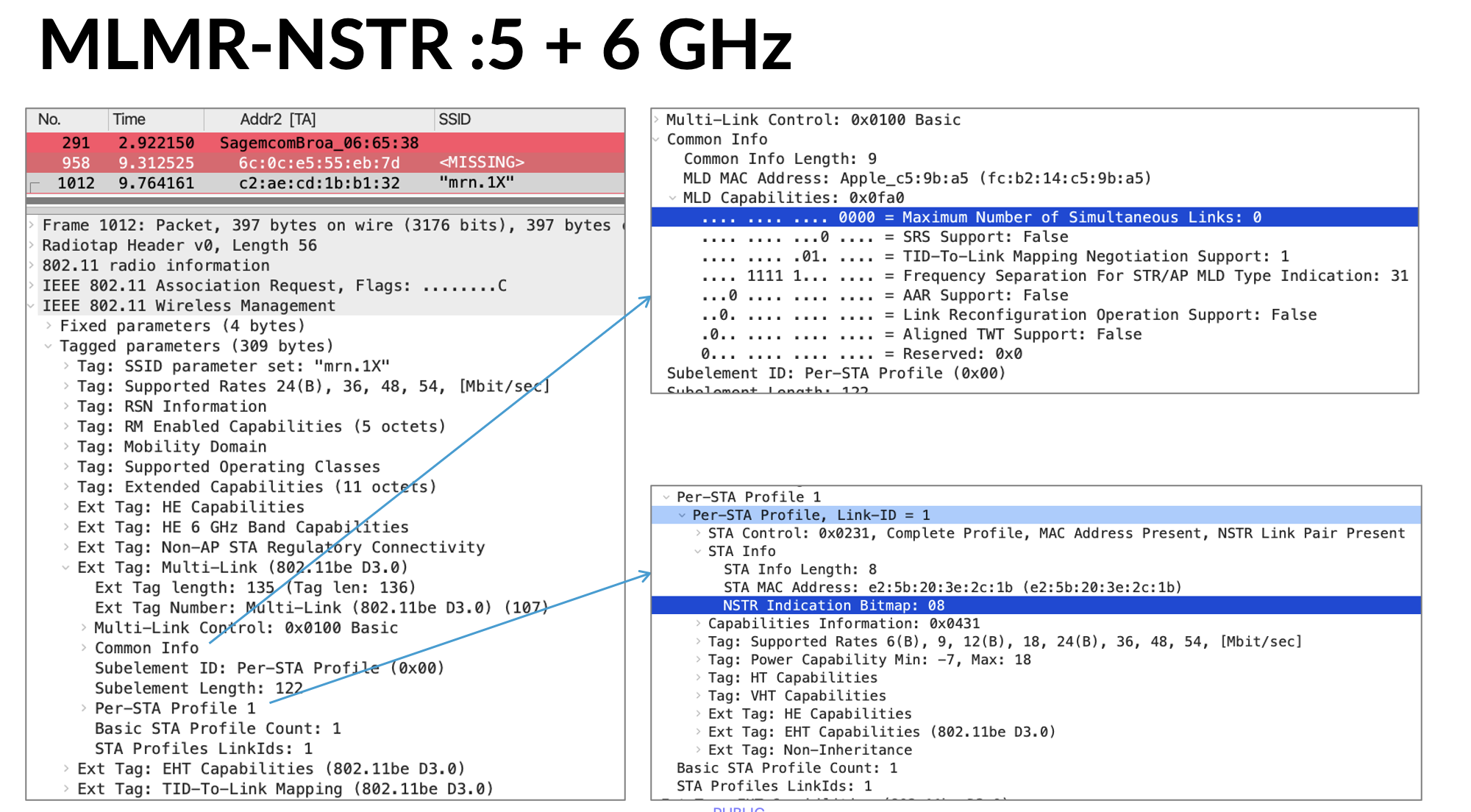
Based on these observations, the behavior appears to be consistent with MLSR (Multi-Link Single Radio) operation. Access Poinot only support MLMR-STR and eMLSR.
If you’ve conducted similar testing, I’d be interested in hearing about your findings. At this stage, it’s unclear whether the Apple N1 chipset changes its MLO behavior based on factors such as traffic type, application requirements, or uplink versus downlink traffic patterns.
 mrn-cciew