Tags
MLMR-STR, MLO, UDB Switch, UniFi, WiFi7
Have you ever seen 5 Gbps throughput over a Wi‑Fi connection?
I hadn’t—until my recent Wi‑Fi 7 testing with the Ubiquiti UDB switch. This device is truly MLMR‑STR capable and functions as both a switch and a bridge—hence the name UniFi Device Bridge (UDB) Switch.
The UDB is a UniFi device designed to work exclusively with UniFi wireless setup, automatially establish mesh connectivity with UniFi AP (uses WPA3-Personal security). Since my home network already runs on UniFi Wi‑Fi 7, I upgraded my home lab with a 10 Gbps‑capable (Pro-XG-8) switch and the U7 Pro‑XG access point, which provides a full 10 Gbps Ethernet uplink. You can watch it if you prefer that over reading the blog post.
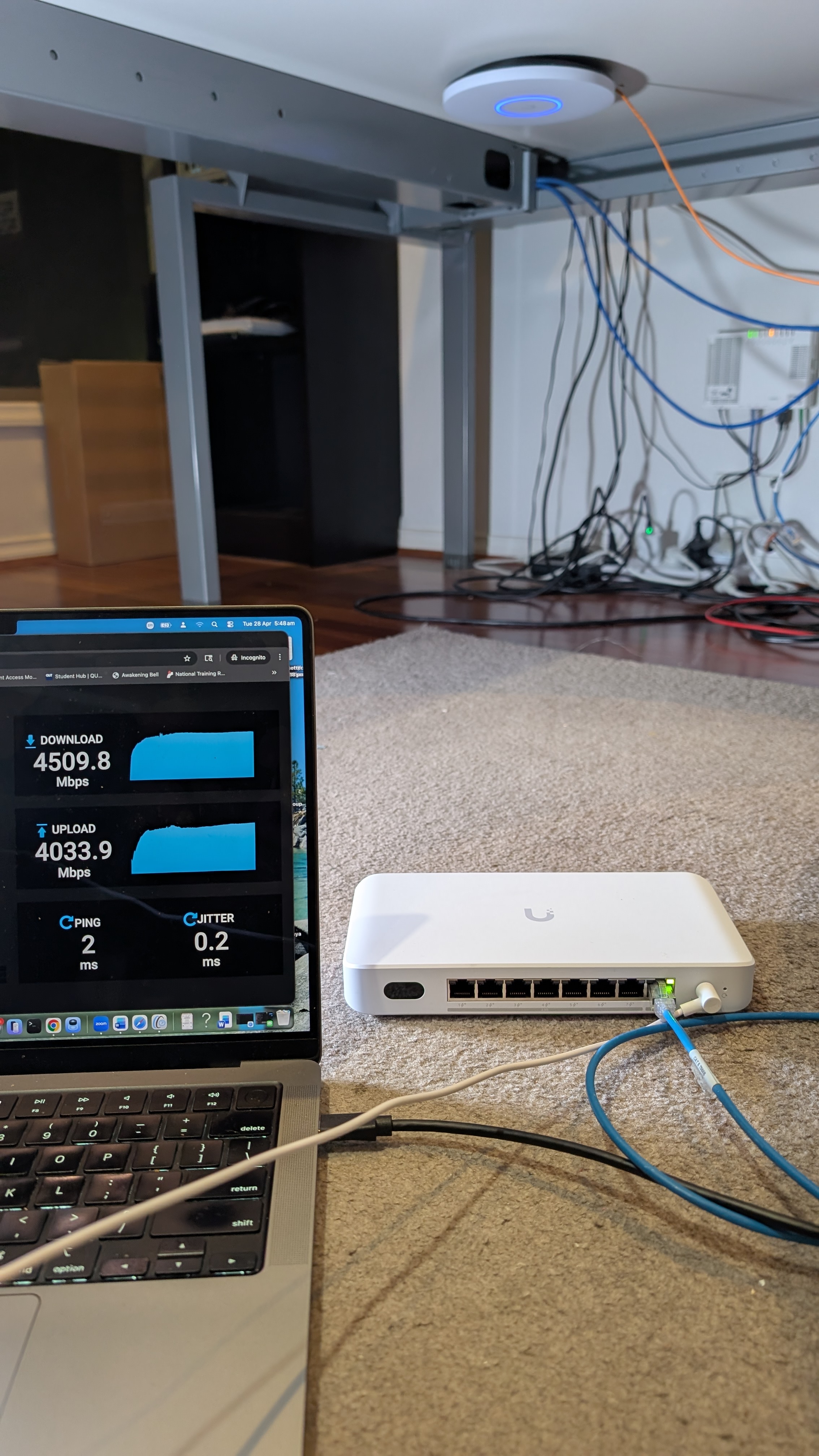
If you’re interested in how my Wi‑Fi 7 home lab is set up and the performance I’m seeing, you can read this blog post. Here is the setup used for this recent test. As shown in the image below, the UDB switch is positioned approximately 1–2 meters away from the access point. I connected my MacBook Pro (M2) via (USB4-to-10 Gbps Ethernet adapter) to the 10 Gbps port of UDB—one of the eight ports supports 10 Gbps, while the remaining ports are 2.5 Gbps.
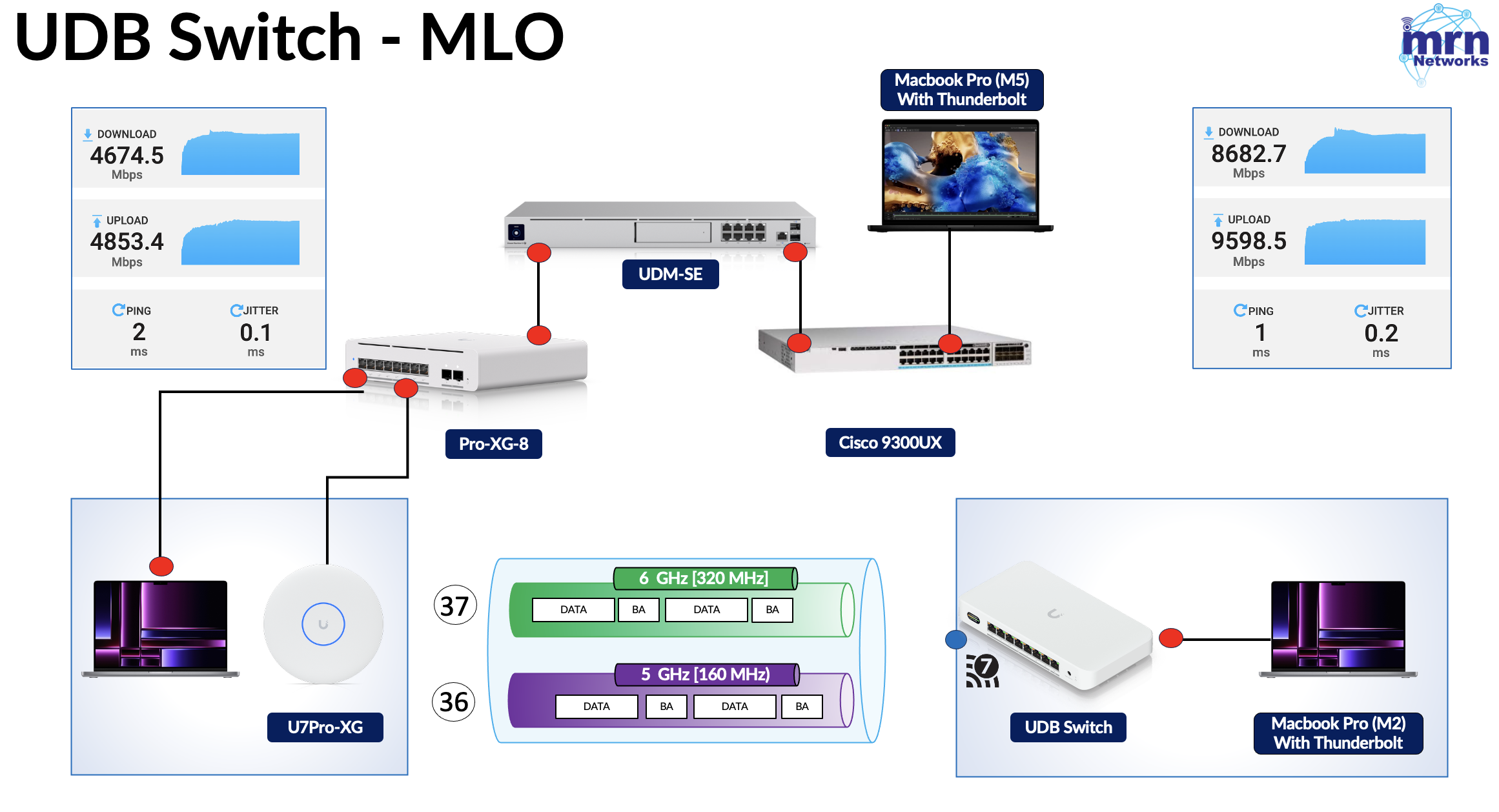
Here is the topology diagram showing how everything is connected. To achieve maximum throughput, I configured a 320 MHz channel on the 6 GHz band and a 160 MHz channel on the 5 GHz band. (Yes, this is something you’d typically see only in a lab setup.)
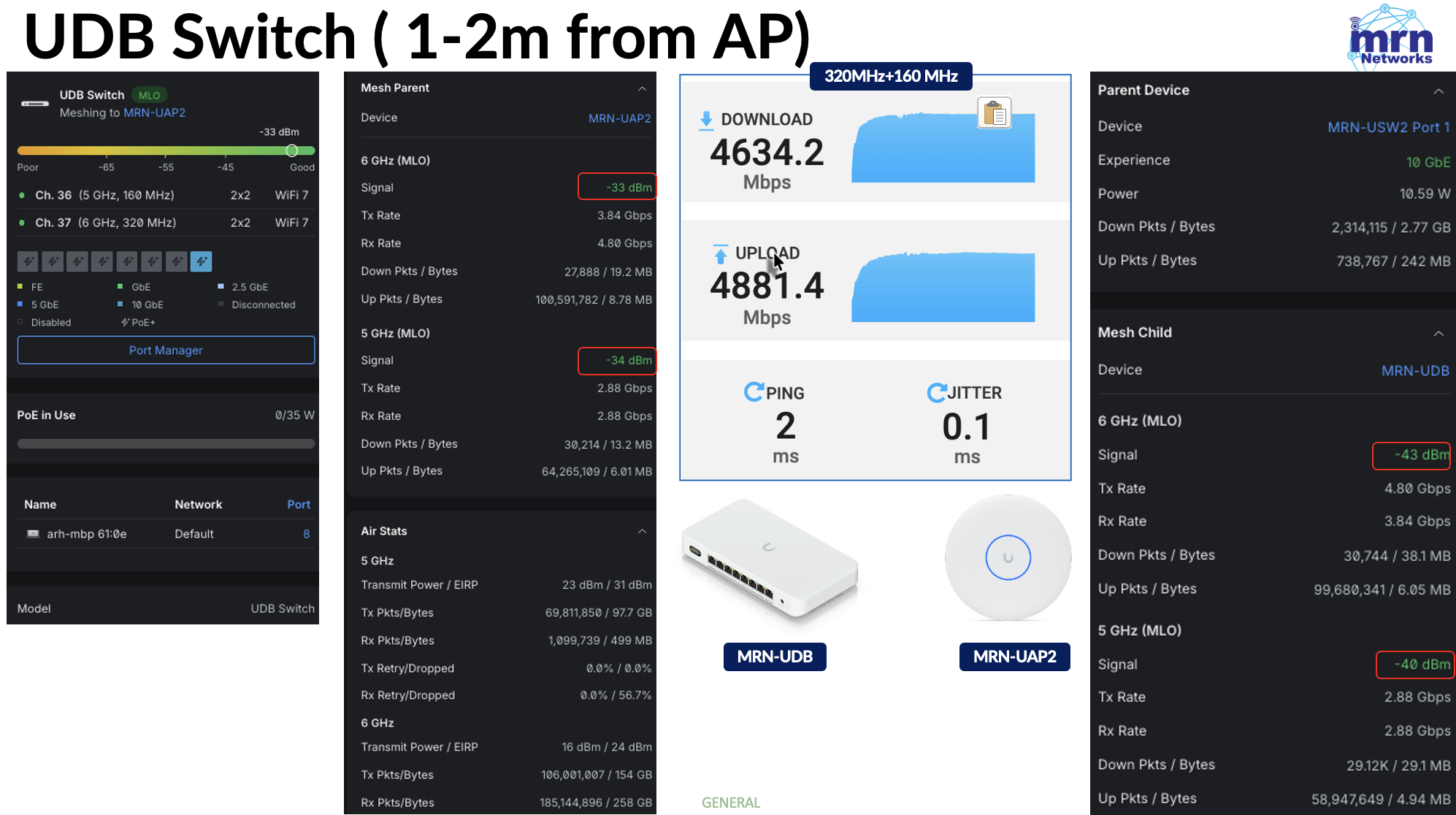
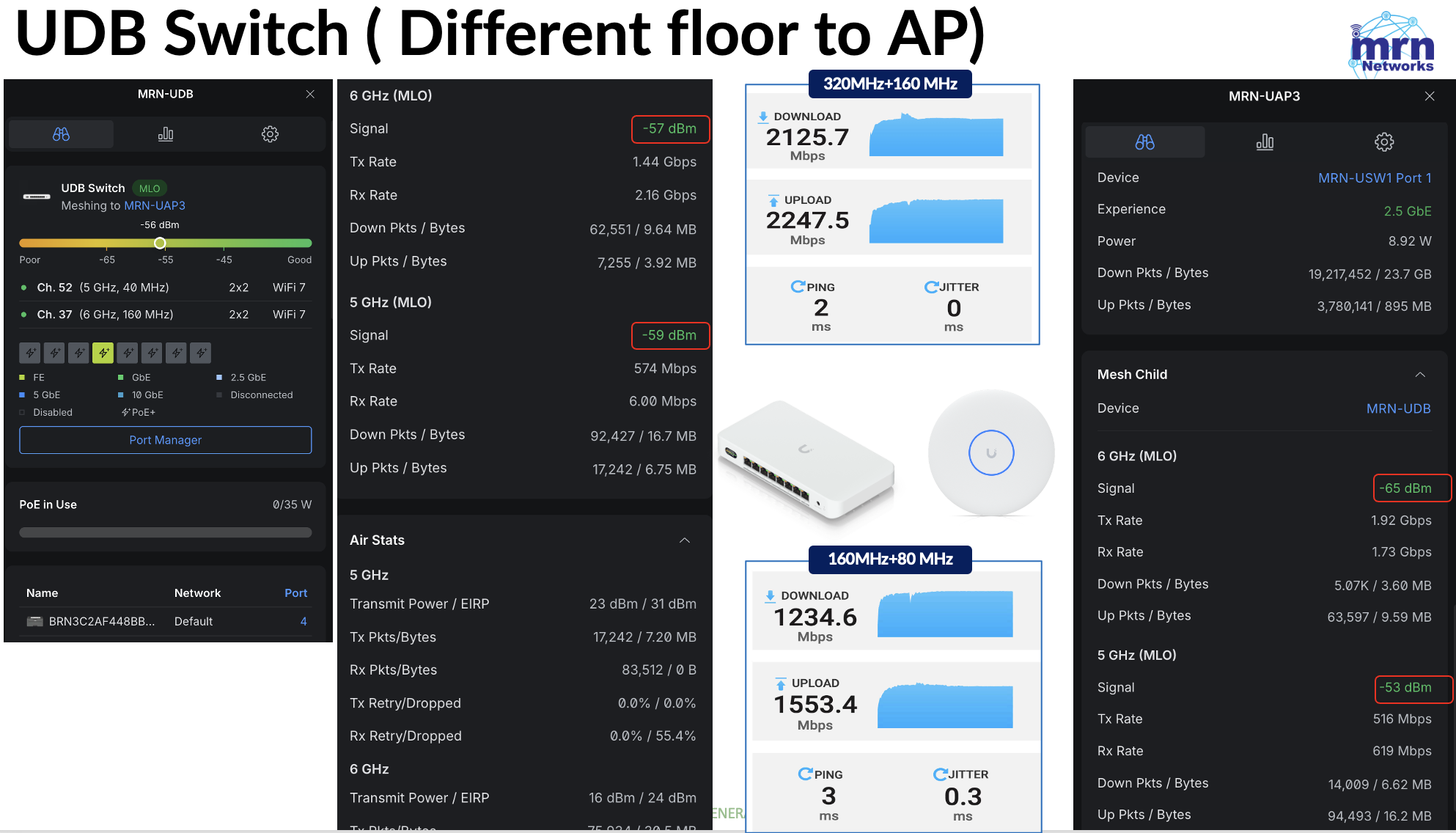
You cannot control the transmit power on the UDB switch side (it goes up to 23 dBm on 5 GHz and 16 dBm on 6 GHz), and you need to add the 8 dBi antenna gain to calculate the EIRP values (31dBm and 24dBm respectively) from the UDB switch. On my upstream AP, I have configured 14 dBm for 5 GHz and 17 dBm for 6 GHz. Below are the test results when the UDB switch is placed a couple of meters away. It almost hit the 5 Gbps mark.
When the UDB switch was downstairs, it delivered over 2 Gbps of throughput with 320 MHz + 160 MHz operation. It achieved around 1.5 Gbps of throughput when operating at 160 MHz + 80 MHz.
I will publish another post analyzing the PCAPs to explain the MLMR‑STR behavior of this UDB switch and highlight some interesting details you can observe from this Wi‑Fi 7 client.
References
1. STR MLO in Production | Tom Hildebrand | WLPC Phoenix 2026
2.Mobility Fied Day 14 – Ubiquiti

